When on the filing tab, you have the option to download any table straight into an Excel spreadsheet.
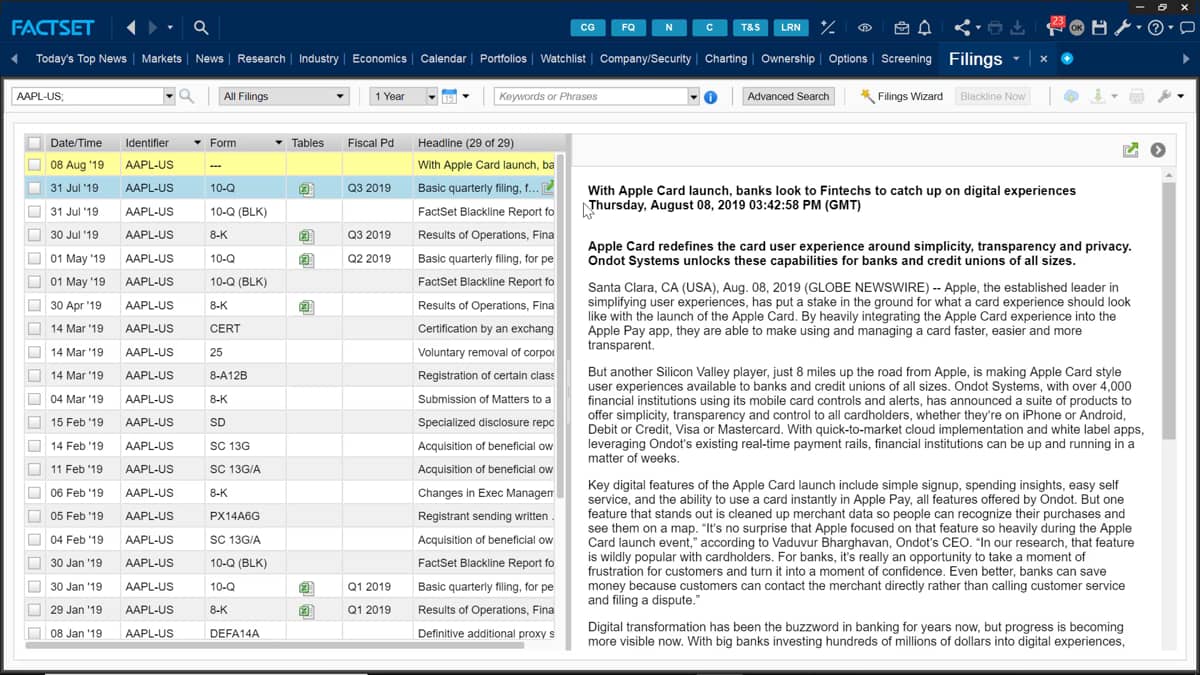
Here I'm on the filings tab for Apple and can see a list of their filings for the most recent period.
If I want to just view the filing, then I can click the filing to display it on the right hand pane or click the open in viewer.
This opens the file in a separate tab.
Within the table is a column header called tables and below some of the filings is a small Excel icon.
This icon signifies the I can download the table straight into an Excel spreadsheet.
So by clicking this, you'll be prompted whether to open the table straight away or save it first by clicking save.
I'll now be prompted to name the table and select the destination to save the file.
This table is now ready for me to open and I can make any further amendments to the table all within Excel.

 Factset-keyboard-shortcuts-for-Excel