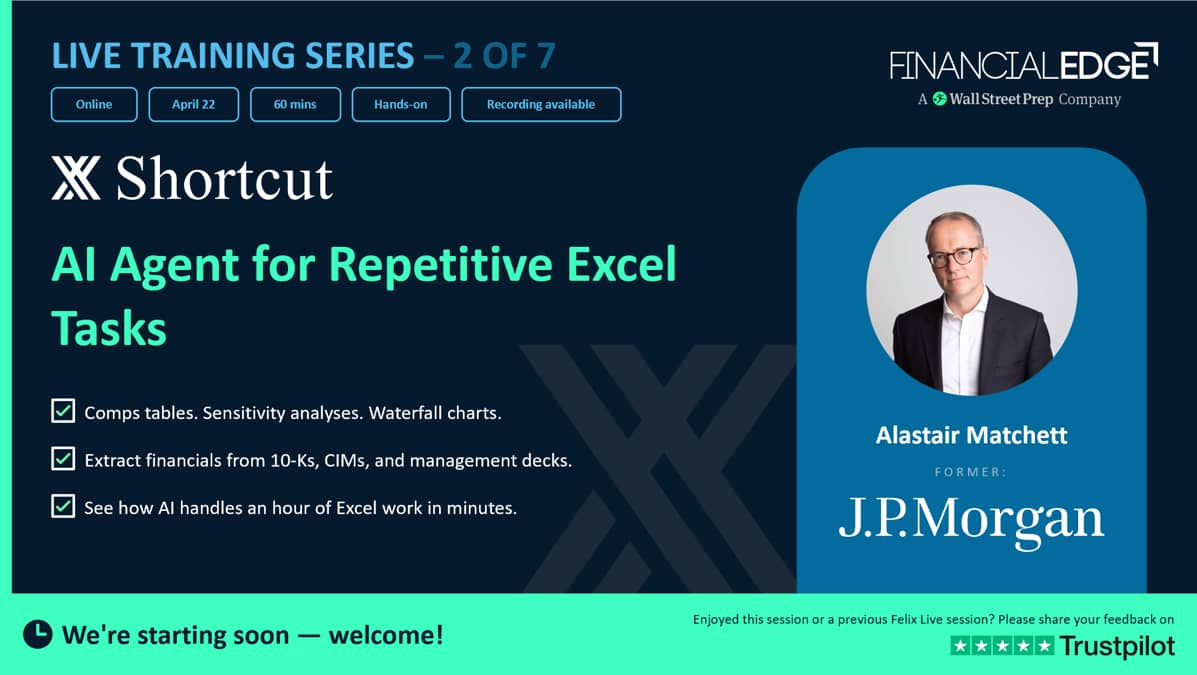
Shortcut - AI Agent for Repetitive Excel Tasks - Virtual AI Series

- 01:02:45
Shortcut is the first AI superhuman Excel agent, scoring over 80% on - Excel Championship problems in minutes, tasks that typically require an hour or more of manual work.
 Tesla DCF Model

Transcript
Welcome to this session on Shortcut. This is another tool that we are taking you through, and what I'd like to do is just spend a little bit of time talking about the tool first, and then we can go through and actually kind of show you some kind of use cases. We're going through different use cases each week.
This week, we're kind of trying to look at repetitive tasks in Excel.
We're going to start by looking at a customer cube, then we're going to go into things like charting. But one thing I want to just start with is that these tools are getting better and better every single week. It's kind of shocking.
And in the last month, I've really started to shift my mind into the future of financial modeling will not be building models in Excel. It will be prompting, and you will see the result of your prompting. So it's going to be a completely new world in terms of financial modeling particularly, but also right across finance.
And that may have implications for the whole structure of the industry.
So I'm going to just go and start by showing my screen and make sure that you can see that okay.
So you should be able to see my screen there.
If you have any questions as we go through, please don't hesitate to put the questions in the chat and then I can respond to them as we go through. Really happy for you to do that.
But let's start by just doing, giving an overview of Shortcut. So, and this is kind of what the agenda is.
We're going to overview... I'm going to go through the analysis of a customer cube. I don't know if you've ever worked on a customer cube in an M&A transaction. That's essentially where you take a company's literally sales for a whole year, and then you slice it and dice it.
You can do section analysis. You can do cohort analysis.
You can do a forecast over each month, and then look at the seasonality of the revenue, too. So there's all those different types of things.
And then we're going to do a little DCF and then build in some scenarios and sensitivities, so you can look at a kind of data table and do some charting.
And then I want to just introduce some of the kind of power features there.
The skills within building inside Shortcut, which are very good, but also I think which is a unique feature of Shortcut, that is the source preview. Which is if you have pulled information from a 10-K, then you can take a look exactly where the source is coming from. And that, I think that is a standout feature in Shortcut. I'm just standing up my desk.
It's just a little bit easier when I'm teaching.
So that's what I'm going to show you, and then just show you how you can do parallel chats within the same workbook.
Okay, let's go and take a look at the next slide. So what is Shortcut? Shortcut is an add-in to Excel, so it's very similar to the Endex product.
That's something that we covered last week.
And then, so it's actually embedded in Excel.
So, it's within Excel, which means that you can prompt it to build models, and you can kind of see the output very like Endex.
I think there's some differences in features which have the edge.
It also supports really big files, so five gigabit uploads. So much larger than Claude and ChatGPT.
And has full visual reasoning, and also has Python and curls and web scraping built in.
So we're going to go through some key points today. So I'm going to do the first live demo, which is taking a look at a customer cube. So this is something you do in due diligence in M&A, where you've got a huge amount of data, and then you want to slice it and dice it. And this can be really painful because traditionally, we have used kind of really long formulas, like kind of lookup formulas, where you're kind of looking at revenue that crosses over months and adjusting for that.
And it's taken... I worked on one deal where this took a month to do to get right, and we kept on going back and forth to try and get it right.
So I'm just going to jump to Excel now, and if I just go to my Excel file here. So this is a download from Salesforce, and Salesforce is a CRM tool that a lot of companies have.
And we've got this download of all their sales in one particular year. And I'll show you what we've got here.
We've got the account name. We've got the amount of sales that that client has got, and it's the amount for each individual kind of product.
This is the opportunity, the close date, the created date, the quantity, and the product name as well. So, I'm actually just going to quickly change these.
I'm just going to call that the start date, and this is the end date.
Let me just double-check.
So this is sort of the end date.
Get that the right way around and call that start date, because that would just be easier for it to understand. Okay? So I've got that.
Let me just double-check this. Yeah.
So that's the start date and the end date.
And then what we want to do is we want to try and to mine this.
Now, the first issue is all the numbers are in different currencies.
So I'm going to open Shortcut, and I'm going to go to the Home menu.
And then as normal for most of the tools, you have got a little icon on the Home menu. So I'm going to go to Endex.
Let me just show you the...
Oh, sorry, Shortcut. So you can see it opens up a chat window here. You've got a few options.
You can upload a file. You've got some shortcuts, and these are shortcuts where you just want a quick, be able to have a quick prompt that you've saved previously.
There's some skills in there as well.
I'm going to go through skills later on, though.So let me just close that. I need to reopen that. That's rather annoying.
So let me go back into Shortcut. There we go.
So skills we will cover. Skills are something that you can do repetitively. Then the model you've got here, I'm going to just keep it with Opus 4.6 there.
We've also got the ability of the effort, the medium, low, or high. I think for most stuff, medium is pretty good.
But you can set it to high if you want.
It will take longer, though.
And then you can set the speed. I'm going to set it to fast, and it's going to use more tokens for that.
But it's just easier when you're doing a demonstration.
Now, one of the issues just to bear in mind, and it's actually worth understanding, is that a lot of tools are planning to change their pricing model.
So instead of pricing on a flat fee per person, they will price on the number of tokens you're using.
So make sure you kind of be aware of that because the more efficient you are, the less cost the tool will have for you.
So the first thing I'm going to do is I'm going to ask it, so use column D to establish...
Well, actually, no, because you haven't got the converted rate.
Let me just try this. So, review column D and come up with exchange rates for each currency.
Put them into a new sheet as assumptions in blue.
Now, one of the other issues that Shortcut does is it will learn from you. So as you prompt, as you use it more and more, it will actually start to learn from you.
Now I'm doing this, and hopefully it's not going to take too much time.
I've put it on fast. But while I'm doing that, I'm going to click on New Chat. Now this is a new chat that will work within this actual workbook. So you can do another prompt on workbook.
Now you need to be careful that it's not going to compete with each other, not going to kind of overwrite the same cells, because you'll get problems then. But what I can do is I can, for example, it's got a whole list of products. Yeah. So create a new sheet with the list of unique products.
So I'm not going to tell it which column.
So hopefully, that will come up with a list of new products. So that's working away there.
And let me go back to this. So it's doing a web search.
It's getting the exchange rates there. I'm doing it, if I put it on fast, and I turn this off.
So I wonder if I can switch it on fast to make it a little bit faster.
Okay, so those are two things that it's doing on this same spreadsheet where it's reviewing it. I want to get the FX rates down first, okay? And then I'm going to put down, let's do another one and then say... Let me just copy what I did for this one.
Create a new tab, and list of unique clients. Okay? So this is something you can do, and you can have multiple things going on in the same spreadsheet.
So this is quite cool because it means often you know that you've got, I've got to do this, but then I've got to do that, and I've got to do that.
And you work in a linear focus, things are going to take much longer.
And this is kind of like quantum computing, but in AI, right? You're doing similar things simultaneously at once.
So this is pretty cool.
It has been actually, when I was using it before, it was definitely a bit faster. So it's asking me, do I want to make these changes? And you can do that step by step. But it will keep on coming back to you about that.
So there we go. And I may just choose Accept All because it's kind of a bit irritating when you get that. Let me just see. I think this is, yeah.
So again, I'll choose Accept All.
And then again, I'll choose Accept All. So you can choose Accept All.
So it's done unique clients there. It's got unique products.
It's got some assumptions, which are the FX rates there.
So those we're all kind of working in parallel, which is really pretty cool.
So I've done that. Now let me come back because I want to go back and we now need a new column. So I'm going to ask it now to create a new column of the amounts in GBP using the assumption sheet.
Okay? So of the converted amount. Now, it's a pretty kind of natural language text. So when you're putting prompts in, it's really worth kind of just use kind of natural language in doing it, because it usually will figure it out.
And as I said, as you do more and more prompting, it will get better and better.
So this is, I'm just converting this, and then, so it's extracting currency.
Okay, extracting currency codes, because on the left-hand side you can see there's not a single column for currency. I could have asked it to produce a single column. Hopefully, it will figure out how to do that, and it will put the currency in a separate column so it can read the currency.
So that's what it's doing. It's extracting all the currency codes.
So you can see, you can actually read what's going on, which I find, I think that's really, really helpful because it's in kind of natural language.
I don't know if it's actually put those in yet.
No, it hasn't done yet.Oh, it's actually there's some missing exchange rates.
Okay, so that first prompt when I asked it to put in the assumptions, maybe it missed some exchange rates.
I'm surprised it does. Maybe there's some India exchange rates.
Yeah, they're all there. So maybe the Australian exchange rate. Okay, so they're adding.
So it's just added a few exchange rates.
So the first time around it didn't do that. Now you can.
You can ask it to do checking prompts once it's done that.
So the good thing about having the multiple prompts is that once you're working on something, you can actually ask it to audit something else, and that's actually a pretty cool feature. So let me just see if it's gone back and finished this on the right. And so yeah, it has done.
Let me see if it's actually put in a formula. Yes, it's done. It's used a Vlookup.
Now Vlookups are not terribly efficient.
I'm going to leave it, but it's done that.
So we've got now all the data in one currency, and we've got a set of assumptions that's done that. So that's pretty cool.
Now the issue here is that a number of the opportunities that they've got cross over months.
Let me just shorten this a little bit.
So let me make this eighty.
And you can see here we've got some opportunities which cross over multiple months. So, ultimately I'm going to say, ultimately, I want to create a monthly forecast or monthly analysis of the total revenue.
And I want to correct for the fact that the opportunities cross over months.
Okay? So calculate each monthly... Or calculate a monthly total revenue forecast, across the, I'll just say twenty twenty-five year. Okay? Because this will just be twenty twenty-five, and it's got more years.
So this is quite a big deal when you're doing these customer cubes, is getting your revenue recognition right.
Okay? So that's something that is a really big deal because what it's going to do is that some of these contracts spread over multiple years, and what that means is it's going to have to calculate the revenue recognition in January, April, May, et cetera, in twenty twenty-five and correctly calculate it.
So this is something that if you ever do a customer cube, it's a real pain. So you can see here what it's doing. It's doing the estimated revenue. Let me just see.
Pro-rata revenue. These are just dates here for now.
There we go.
Now has this actually done this correctly as SUMPRODUCT? Oh, wow.
SUMPRODUCT. Now, I'm going to ask it to, in this second prompt, audit the numbers in the monthly revenue that they correctly add the twenty twenty-five total revenue.
So I'm just going to get it to do a little audit there.
So while that's working. So, that hasn't finished. Yeah. So you can start to see that it's figured out that it's got some erroneous results here using SUMPRODUCT, and it's going to use a LET function.
And LET function is an array function.
I've used these, and they're notoriously difficult to use. So, now this, I know these numbers. I'm just looking at these numbers, and this looks way wrong, okay, because I know these numbers don't add up to thirty-nine million.
So, I'm just going to see what it says with the checking tool. Let me just...
Yeah. So I think I'm going to go back and say, "The revenue is way too large.
I only want the monthly revenue for the twenty twenty-five year." Maybe it's done it correctly. I was messing around with this revenue.
Let me just go back to that first page.
So yeah, I don't think... If I just add up this, let me just see if I add it up.
Or does that come with it? Maybe it's actually...
So yeah, it's actually quite a big number, two hundred and eighty-eight million.
So this has actually been... I've adjusted this. Okay.
So that does sound about right. Okay? So it has come up with the monthly revenue here on a holistic basis. Okay? Now I've asked it to check it, so let me just review it.
Now, what I'd like to do is I would now on a new sheet, create a monthly forecast by each client's total revenue for twenty twenty-five. Okay? Now, I've misspelled twenty twenty-five.
It usually should be able to fix that.
Okay? So let me just see if it reviewed this.
Um-Yeah. Okay. So, it said that there's some opportunities within 2025, and then there's some that start before '25 but end in 2025. Would you like me to restrict only the opportunities that both start and end in 2025? Now, in a customer cube, it would be pretty useful to know the breakdown of new business within 2025 versus that deferred revenue which is being recognized.
So I'm going to say, "Yes, please split the revenue for each month between deferred revenue being recognized and revenue created in 2025." Okay? So that's done it. So I'm just going to go back and do this, and I'm going to do this on the monthly revenue sheet.
So do this on the monthly revenue sheet because I want to show it on this sheet. Okay.
So because I've got other big sheets. So now this is working.
Let's see if it's actually done that monthly revenue.
So it has done it. Now, this has got GBP, so I'm going to ask it to...
I'm going to come here. I'm asking now to lose the GBP sign text on the client monthly revenue.
Okay. So I'm going to ask it to just remove that because I don't like that.
So let me just... I'm going to write in head under that.
So that's going to do that.
And let's go back to the monthly revenue, see if it's done that. Yep.
So deferred revenue and then monthly revenue and then total revenue.
So it's done that. So now I'm going to ask it now build a bar chart showing monthly seasonality for the revenue.
Okay.
So I'm going to get it to now take that revenue analysis that is done on a monthly basis, and now it's going to build a bar chart.
So I can kind of visually see that bar chart.
And you can start to see this is... There we go. Oh my gosh.
And it split it between deferred revenue and new revenue.
That's pretty darn cool, right? So see how quick that is. It is really mind-blowing what's happening here.
So just fasten your seatbelts. It's going to be a bumpy ride in investment banking.
So I've done that, so it's loading suggestions. But I'm actually going to ask it now put percent of the total year above each column on the chart. Okay. These kind of things, this is a pain in the backside to do this, right, in Excel.
It's a complete pain. This is all those kind of nitty-gritty things that you do day in, day out. And now this is not looking... It's not aligned it very well, has it? So hopefully, yeah, it may actually have got some visibility. So there.
It looks as though it's checking that, so hopefully it will correct it.
It's got the percentages there.
It may not even need that access. So there we go. So it's just trying to find that.
But this you can start to see, and you can do multiple things. So while that's working away, let me go back, and if you see, we've got this amazing customer cube.
So this is what a customer cube is effectively.
And you've got name of the client, and then you've got the revenue each month.
Now you can see here that this is a hard number. This actually is in fact a pivot table that it's created here.
So this is actually a pivot table that it's created.
So you should be able to analyze that.
But this is just an amazingly big hassle in an M&A deal, doing these customer cubes.
But this is given to us really, really quickly, and it's just displayed all the client's revenue properly recognized on a monthly basis.
Now, I'm also going to say, let me see if I can then, on this sheet, let me adjust it.
So adjust the client monthly revenue sheet so that clients with the same/similar names are grouped using the Group feature.
Okay, so I'm just going to do that.
Now, so both doing that. I'm going to open a new spreadsheet now, and this is another thing I'd like to show you, is just doing charts in Excel, because I want to shoot myself when I do charts in Excel.
So I'm going to go Home, and then I'm going to go to Shortcut, and I'm going to choose, let's say the beverages sector. I just know it quite well.
So pull the last five-year share price for KO, which is Coca-Cola, and its five closest peers. Okay.
Now what you can do is you can save these as skills, right? Or shortcuts. So you can just do this really easily.
But what it's going to do, it's going to download it, and I think it comes from CapitalIQ here.
And it's going to pull in-The parameters. So it's going to do that.
So it's thinking away. Let me go back to the other spreadsheet, see what's going on there. So this is still thinking. So this is using quite a lot of tokens.
We are ramming those tokens. My computer is beating its little heart out. So I'm just going to see that if it can actually do that grouping, because that would be kind of cool if it did.
So I'm going to do... Let me have a look at the chart. It still hasn't put the...
It's doing the percentage line. So it made you an XY scatter chart here. Be interesting to see what's happening because there's variable different ways in which you can do this.
But you can start to see charting is such a pain in Excel.
It's really problematic.
I was going to maybe reduce the, put it in thousands rather than millions.
But I'm a bit wary of doing the same thing on the same chart.
Let me just go back to this and see what's happening there.
I think one of the issues you have to realize in the new world is that you will be doing multiple things at once, and you'll just be-- Okay, it's using free model. Okay.
Oh my gosh, I should have...
Why is that? That shouldn't be using free model as I should have a proper model. Oh, gosh, that's annoying. I wonder if that's just...
Let me just see what's happening there.
Yeah, that's odd. That should be doing that automatically.
Oh, I may have hit a limit here because I've been doing a lot actually.
Oh my gosh, that's annoying. I wonder if I've hit a limit to my items. Gosh, that's really frustrating.
But what would happen is that this will have put the percentages on...
Let me just open an answer file here.
Let me just open my answer that I did previously.
So this is something I created earlier with-- So this is the product cube or the customer cube.
So it's got the customer, and it's got...
There are slightly different numbers here because I messed around with the numbers, and it's done it on a monthly basis. This is a pivot table.
Did a cohort analysis, so it looked at the number of customers acquired in each month and the renewal rates.
There we go. And it's got a bit of an issue there.
Let me go back to the assumptions, and then it's got opportunity and products in there, too. Okay, so that's a similar breakdown. Let me just go back. There we go.
We're back in business. Oh my gosh. Oh, you can see.
You could see that at the same time. Okay, so let me just...
Yeah, you will be able to review the recording after the webinar.
Oh, gosh, that's put in a lot. Total revenue. Oh, I don't want the total revenue.
So remove the total revenue from the chart and show the percentage on the top of each column.
Percentage of the year on the top of each column.
Okay.
So that's just going to fix that.
Oh, actually, let me just see if that was...
Clients, it's done that. Let me see if there's any others. Okay, that's done.
Okay, let me go back. Is that monthly revenue? Hopefully, that will fix that.
That's the other chat going. Let me go to the other model now.
Okay, so now I'm going to re-prompt this.
I don't know if I can spell today, but actually, it doesn't really matter whether you can spell or not, frankly, in these models, they will figure out what you're doing. So this is going to do a share price graph.
So I'm going to just show you how it does that. That's pretty useful.
While we're waiting for this, I'm going to open another file because I'm just conscious of time.
I'm going to open, and we're going to do a DCF, but there's something really powerful I want to show you. So another killer feature with Shortcut.
So I'm going to open Shortcut here, and I'm going to upload a file. This does actually work. I had some issues.
So I'm going to upload Coca-Cola's 10-K file here, and I'm going to ask it to build a DCF. Build a simple DCF using the base information from the 10-K filing of KO. Okay? So it's going to... Oh, I should have done fast.
That's annoying. This is so you can start to see if you use fast, your token usage is like, it's really big. So it's going ahead and do that.
Now, it's two modes. It's in action mode, which it's doing, but plan mode.
So I'm actually going to go into plan mode, and it's going to work through planning out this model. But there's a really critical feature here that I want to show you. So just hold that view because you will be impressed. This is, I think, stand out.
Really stand out. So it's just analyzing the financials.
Sometimes what you can do is you can prompt itSo let me just go back to see the others. Yeah.
So this is a bit messy, hasn't it? So you have got two percentage above the columns.
Oh, it's fixed it. It fixed it. So the percentage, oh, it's still working on that, isn't it? So this is where you've got to be a little bit careful.
So it's actually still working on this. Can you see that? So it's still working. Okay, so it's recognizing this, and it's actually really good. I'd say Shortcut is stand out in really kind of really thinking through this issue, and it's identifying there's some issues, so it's still refining it. So let's go back to where we were.
So it's just pulling in the financials here.
Let me go back, and there we go. It's pulled in the...
So I've got a DCF going, I've got my share price chart going, and then I've got the customer cube going.
So it's a lot going on, right? And so it's asking me to make changes.
I'm just going to choose Accept all because it's going to pull these in.
This should be pretty quick. So these are the share prices it's pulled, and then that should be pretty quick. And while it's doing that, I'm going to take the share prices, rebase them to the beginning of the period, and create a line chart with KO in red. Okay? Now, if you have any standard formatting at work, you can use that. So now this is going to rebase the chart. And the good thing about this is that once you have done these things, you can save it as a skill, okay? And then you can update that skill.
So that means that you can get it to remember this and all the prompts that you've made to do this.
So let me just go back and if you have adjusted this.
So this is still working on this. It's having a little bit of a meltdown on this chart.
Sometimes I've found it's actually better just to get it to redo the chart when it kind of gets confused.
But this is still going. So let me just leave that.
Let me go back to my...
So this is model in this cloud-free thing, model structure layout.
I want one page, one assumption for WACC and...
It's being a bit slow. Oh, gosh.
Ah, now. So what's happened here is my Excel has crashed because I've got so much stuff going on, and that's probably something that you want to be quite careful about.
Now, Shortcut does save your Excel.
Let me see what's going... It has come back. It's good. There we go.
It has come back. That's pretty disturbing, right? That's a real-life problem.
So it has come back. Oh, there we go.
So let me just go and check this. So we've got our opportunities and products. They were there.
Let me see if...
And it does have these other two. They're down there. So we go.
So it has rebased these share prices. Let me zoom out, see as it put in.
Yes, it has been in the graph.
I'm kind of a bit suspicious of that chart, though.
Just going to zoom in a bit.
So this is the share price.
Is that really the case? I'm asking to check those results because that seems to me really kind of suspicious, right? That share price.
Let me just double-check that.
Check the share prices.
They don't look right. Let me just turn on this fast. There we go. Now, if you're worried about stuff, you can turn on the thinking.
So I'm just going to go back. Let's see if I go back to my DCF.
Here we go. Okay, that's still now...
I'm just going to close those. So I'm going to ask it now just to clean up this chart.
This is pretty messy. So I'll tell you what I'm going to do is, often in AI, if it gets kind of confused, it's just better to frankly delete it and start it again.
So I'm just going to go into Shortcut again here, and let me just do this. And so create a bar chart with each month a bar of total revenue and the percent of the year on the top of each bar. I'm going to get it to do that.
I'm going to make sure it's got fast. There we go.
Okay, let me go to that. And then I'm going to go back and I think my computer may be having a bit of an issue because I'm using a lot of memory here.
Okay. So let's go back to build a simple DCF.
Build a simple DCF using the attached underlying10K.
So I'm going to do that again. Now, I probably should save this, shouldn't I, here? Before it kind of blows up at me. Let me just save it quickly.
Um, KO DCF.
There we go, do that.
And then upload that file.
You've got to be quite careful, your computer actually can kind of melt down. Mine's actually... It's getting really hot.
So this is just uploading this. So it's uploading the 10K, and there is something I really want to show you, which is very powerful. So let me just do that.
Now, if it asks me for plan mode, I'm just going to stay in action mode.
Just get it, because that means it will just go ahead and do it.
And it may make errors and stuff, but just in the interest of time, I'm going to come back, and I'm just going to accept all. So it's going to create a chart here.
That's done, and it has it checked the... No errors found.
Okay, maybe that is... Well, it's using Yahoo Finance, which is a bit dodge, frankly, to reduce the number of dates on there.
Yeah, I'm a bit suspicious of that.
And then I'm going to ask it to do something else and create a chart.
Create a chart for just KO share price and also add volume.
Okay, so it's going to do that.
Let me go back to my other view. So can you see that? Just deleting it and starting again often works.
So this is actually pretty nice, and it's done the numbers in thousands, which I like, and it's put the bars and the percentage above the bars.
So now what I'm asking it to do, I'm going to just ask me to create a skill with this prompt to create this chart. Okay? So what this means is, it will create a skill that I can then activate by using the forward slash.
Okay? So it will just kind of read how to do this, and this means you can save repetitive things, and it says creating a bar chart skill. And this is really powerful, because if you're doing things repetitively, this would save you a lot of time.
Okay? So there we go. And if I come here, we can see there be skills there. Let's just see if I can find, yeah, revenue bar chart with percent labels. There we go.
So that's the skill there. And those are my personal skills.
And I've got also extract financial statements.
So those are things that you can kind of...
And there's also, you can upload templates.
So if you have templates like a DCF or LBO, you can upload those as well.
And then also memories is where, at the end of the session, it will save what it's kind of learnt about you, so you can review that as well. So I'm just going to close that down.
So that's a pretty nice thing. So I'm pretty much done with my customer cube there. So I'm just going to save this because I had a bit of a meltdown, and my Excel is going a bit crazy.
So I'm going to just save this as Customer Cube.
Okay, so that's done.
Let me just close that down. I'm just going to accept all because this is a new chart for Coca-Cola. And then the DCF.
So the DCF is happening.
Okay.
So just working through it, telling me what it's working through.
So let me just go back to my share price.
Let me just see if I've got something on the right. Let me just see if it's put it in yet.
No, it hasn't done quite yet.
There we go. So it's analyzing that.
So one of the things I think is different here is that you can do multiple things at once. Not just on different workbooks, but on the same workbook.
And this is quite good if you want to analyze your work, if you want to check it, for example. So let me just see if it's done this.
I'm just going to accept all for this. There we go.
So it's getting a bit slow. And then I'm just going to close my customer cube.
Oh, that's the raw data. That's my answer. So let me just close that.
Save up some space.
There we go.
It's still doing this.
Let me go back to this if it's done this.
So it's working hard.
So what... Yeah, there we go. So it's put in...
So this isn't looking great, right? Because it's in bars.
But it hopefully will fix that. Yeah, hopefully it will go and recognize that you don't want bars, you want to have the line for the share price and the volume in bars. Okay? So you can kind of see that happening there.
And now it's putting in here, so hopefully...
And you can do a skill, for example, a formatting, a skill for your standard formats.
Now, and if it... Yeah. So if you can start to see here, and this is something I really want to show you, it's still going to apply all the formatting and stuff like that. So this has done a standard DCF.
That all looks pretty good there. Should be able to check this.
But let me just see if the formulas look good.
Yeah, the formula looks good, and it's on the equity value.
Shares outstanding. Well, the current share price, it's way different from the current share price. Let me see what WACC it's got here.
So terminal growth rate. No, it seems about right. Seems about right.
Has it used consensus estimates? I just want to check whether it's used consensus estimates. So this is an example where I could prompt it.
But actually what I'd really like to show you is, so this revenue number-You can see it's showing us where the number comes from in a comment.
But if I click on that, see if it works here. Can you see this little button that says Source? Click that, and it shows you in the filing where that comes from.
So that's pretty cool, huh? And this is what I really want to show you.
So this means if I click on here, then it will show me where these numbers are coming from, and it will highlight it in the PDF.
Now, this has also worked where I pulled it in from Capital IQ, and it's pulled in the filing as well, but that's been a bit tricky.
If I'm honest, it has worked sometimes and not others, but I'm sure in time it will work. So now you not only have a DCF that has been built using that 10-K filing, but you can also see exactly where the numbers are coming from in the financial statements, and I think this is probably a standout benefit. I've not seen this in any other tool yet with the audit trial, because this is a real pain when you're auditing work. And I think if you have a big screen, one of those really wide screens, you'll be able to see that much, much more easily. So the preview is a really powerful tool, really fantastic, and I think that's probably stand out.
I'm going to ask it to adjust this. So, use consensus estimates and create a new tab for a more detailed WACC calculation.
Okay, so I'm just going to hit Enter there.
Now while that's doing it, I'm going to open another chat, and I want you to review the assumptions in this DCF and determine why the...
I think it's a much lower share price. Let me have a quick look. Yeah.
The implied share price is so much lower than the market price. So this is what's really good. You can audit while you're actually kind of building out as well. So that's going to be reading the DCF model, and then on the left here, it's actually still completing stuff.
Let's go back to our other file, and yeah, it's done this chart. Let me pull it out. There we go. It's got a share price and volume.
So I want the share price, the volume as a solid block, and put some axis labels, and make the currency as US dollar. There we go.
So it's done that. So it will fix that.
So while that's doing it, just correcting it there.
And let's go back and see if it's still reviewing it. Okay.
So it's saying here, and this is what's useful, right? So it's reviewing this. So here's my review of the DCF.
Methods and timing consistent. The issue of the assumptions.
Okay, the WACC is significantly overstated at seven point five percent.
So that's obviously a key reason. So beta's very low.
So it should be around five point six, six point four. Okay? Now, I hope that if we've done a WACC, let's see just what's happening to the WACC addition there. So this is really good, right? You're not just building the model, but while you're building it, you're able to audit the model as well, and using a kind of multiple chat.
So it's going in and putting in the consensus estimates, and then it's also setting up a WACC calculation there as well.
So you can start to see this multiple prompting on the same model is really, really good, because you don't have to wait until it's finished to actually start to get a sense of whether it's accurate or not. You can kind of do the same thing at once.
So it's now putting in a weighted average cost of capital there.
Let's go back. There we go. It's now put in this, and it's put it in dollars. And then I'm going to ask it, now create a skill.
Now create a new skill to build a chart like this. So now it will save that as a skill. So if you're doing something repeatedly, then you can just use the skills to do that. So once it's done this, what I'm going to do is I'm going to ask it to build...
Let's see what this will be called.
So I'll just go back, and it's just doing calculations here. I don't know if it's sometimes the...
And that's actually, the formatting's not so bad.
It's I've got a really big font size, and that's looking a little bit odd there.
So let me just see.
Still working. This is taking longer than usual.
Okay. Let me just go to the WACC tab.
So we've still got a pretty high WACC, so let me just see what they've got.
Risk-free rate of four point three.
Tax rate, levered beta. So the levered beta is seven point seven five, and the unlevered beta is point six eight, and they're saying it's pretty low. What's the equity risk premium here? Four point five.
That's Demodaran. So this is all coming from Demodaran.
I'm going to adjust this. Let's assume the ERP is 4% and the betaIs, let's say, 0.5. Okay? And I could have changed that manually, frankly, but I think this is the new world where you'll just do prompting.
And this is one of the issues, the sources, is where this is pulling data in can be a really big issue. Okay? I can't remember if there's a place where you can get sources here. I thought there was. Okay, there we go.
Turn this into repeatable skill. So I'm going to choose DCF model builder. So I'm just going to save that, and that's the prompt.
There we go.
And it's just creating a prompt to... There we go.
Let me just see what's happened with the price share price.
So 0.63 lower than the current share price.
So that's pretty good there. So that's done that.
Okay, let me go back, and we've created a skill which will create this bar chart. And now I'm going to do is create...
Let me just pull up the skills.
Where was it? The price volume chart. There we go.
Or let's do it for Microsoft.
There we go. And then it should go ahead and do that.
So that should, fingers crossed, use all the same formatting here as well. Okay? So it should use all the same formatting.
Let me just go back, and so it's still creating the skill here, so I can create a DCF.
And let's just go back to where we were on the other one.
So it's now putting new share prices in, hopefully from Microsoft.
May have to change this and do Microsoft, and then hopefully it'll create a chart.
Oh, I haven't got this speed on. So let me just turn the speed on.
Yeah, there we go.
Well, just to check what the other one's doing.
There we go.
Yeah, so it's done this. So I'm going to open a new spreadsheet because this has actually not got my... I've just had a blank spreadsheet. This is pre-formatted.
So let me do a DCF quickly. How much time have we got? We've got six minutes. Let's do a DCF.
And I'm going to do build.
So just do this. Let me just see what it's got.
Build DCF model for Nvidia.
Because it's actually interesting. I think, are these things really overvalued? So it will now take all that prompting, so all that adjustments that I've done previously, it will actually use all those adjustments in this model.
So hopefully... Oh, I haven't put fast on.
Let me turn the fast on because it's to get it a bit faster. There we go.
So it's doing that. And it's come back here.
And let's just see if it's done Microsoft.
Yep, this is Microsoft share price.
So you can see exactly the same style of chart, formatting, everything like that, but for a different company. So you can start to see that's a really powerful feature. Let me just go back to see. This is the DCF. So while this is doing, let me just review. I'll come back to this because we've just got a few minutes left.
So you can start to see, I'm sorry about those issues that we had.
I've kind of run through the slides.
We've done the cleaning up the data and doing a customer cube.
We did monthly revenue trends. We didn't get the chance to do the cohort retention analysis because my computer, well, I had that issue for the license.
And then you can do cross-sheet intelligence where you can ask it to, things like what's the products with the highest repeat rates. So all that stuff you can do.
Live demo two, we can do a WACC calculation, and we can do a DCF, and we could have done 10-year projections.
You can give them the WACC.
And then you can have it formatted like a house style.
So if you have some standard house styles, you can create a skill that does them, and that's really helpful.
We could put in a SNAR analysis. You can ask it to do a bull case, base case, and bear case, and it will do all that for you without you having to model it.
We did some charts. We did a price volume chart.
We did a rebasing to a hundred. I'm a bit suspicious about those numbers still.
And then we did the bar chart with the percentages above it, and so that was all, looks pretty good.
The one standout feature I think that Shortcut has is that upload a source, and then you can click on a number, and you can view the source document. And I think that's really a standout feature in Shortcut, which I hadn't seen in other places.
Skills, I showed you how to create a skill.
You create them with natural language, which is really great.
You don't need to have to go somewhere and kind of paste in the stuff.
You can just tell it to create a skill.
It has Bloomberg formula integration.
Shortcut probably is more widely used on the buy side of the business for hedge funds.
That's where its kind of sweet spot is.
But I think it's still really great for investment banking because of that source feature too. And then also remember that it will remember, it will learn about you, which is kind of a bit scary as well.
But you can also seed it with, "I work at this bank, and my boss always wants the output in this format." And then it will consolidate that memory daily.
So every night it will dream, and that's a technical term apparently in tech, and it will save that and remain a daily log for you as well.
So this means also when you put in strong emotional reactions like, "This is great. This is amazing," it will remember that.
And if you put in bad reactions, it will remember that too.
So this is a tool that will-Remember due. So a few other things, parallel chats are the same spreadsheets.
You can have multiple chats going on.
And then you can audit the work with a multiple chat. I think this is really valuable, where you're building something and you have another chat, just auditing it. And automatic backups, which as you saw, is a big issue. So Monday morning, upload your messiest workbook.
Okay? And then ask it to kind of clean it up, seed your core memory, just say what you do, build your skill, use source preview to verify. Just love that.
And then you can share the skills with the team.
And actually, most tools have that.
So, I'm just going to close that down, and let me just go back to see if we've got... Oh, it's still working.
Even though it's fast, we've got two minutes.
We'll not have enough time to do this.
But it's actually pulling in all the NVIDIA stuff from the 10-K filing, and it's going through this to build a DCF.
And it may take a bit of time to do that.
But that's most of what I wanted to cover with Shortcut. A really great tool. The reality is that these tools are changing every single week.
Rogo tends to bring out new features every quarter, but the landscape is changing, and as I predicted last week, I do think an investment banking analyst and associate is going to be essentially just doing prompting.
They're going to do very little actually in Excel work.
And I think what will happen is that analysts will act as associates very early on in their career.
And that probably means that the investment banking period goes from like this to like that. And rather than having a two-year analyst program, I suspect you may get a full-time hire. And you'll probably get paid more, because you're going to be way more productive. So thank you so much for watching. Apologies about those couple of snafus that we had.
That just goes with the territory of using these new tools.
And I really hope you have a great day.
We will try and get the...
So I had a couple of questions. Does it create footnotes and superscript notes? I don't think it can create footnotes from memory. Let me just go into... Let me just share. Just do that.
I've got a bit more time, so if you've got time, let me just ask it.
It won't do tags on the charts, you know those little call-out boxes? It can't do that, unfortunately.
I've tried that, and it looked really terrible.
Can you add a footnote to the chart saying, "Source, Cap IQ"? Let me just see if it does that.
So it may not do this.
Let me go back. So this is still working on this.
Let me just go, oh, just accept all. There we go.
So it's building that out.
This is the WACC calculation. This is NVIDIA.
And I'm just going to add, can you put superscript into cells? So I'm just going to answer your generic question.
So just double-checking that.
So it's just doing projections on the DCF.
So you can see it looks better than my formatting.
So this hopefully, if I click on this, will it have the source? Now, this didn't work for me when I did it before. Let me just test it.
There we go.
Where it's coming up now, it's not actually pulled the same page, has it? So that's actually, it's got the document, but it hasn't got the actual page there, so that may be just a bit of a snafu there.
Can you see that? So let me just pull in the DNA.
Have to load the page. I think if you don't have an upload, it's a little bit more tricky.
But it does, I think it will, they'll get it fixed, and they'll get that working.
Let me just go back and see if it can do the subscript.
My computer is...
Just close that. There we go.
Yes, I think it can do. So let me just make cell B7 superscript.
Okay, let's do that. Should be quite quick to do. I'll turn on speed.
There we go. Yeah, add a footnote marker.
So this is going to add rather one superscript. Let me just see if it does that.
There we go. Can you see that? Zoom in a bit.
So the people who wanted to see this.
So you can see it's put a superscript one above the WACC number. So that does work.
And then it's done the DCF for NVIDIA using similar prompts. Again, it's come up with a much lower share price than the current share price. I'm not that surprised.
And this WACC of 10.7, which is maybe a little high.
The WACC could be a little bit higher there.
Probably the beta. The lever beta seems pretty high there.
So if I make that lever beta, say, 1.3, let's just see what happens to the DCF.
It's still pretty highly valued.
Not surprised it doesn't make a bigger impact there anyhow.
So superscript does work.
Thank you so much for your time. We are doing more tools, so every week, we're adding more tools.
Okay? So really, these webinars are continuing, and they will have different use cases in investment banking.
But one thing that would be really helpful if you could fill out the feedback form.
It's just been posted in the chat. Really appreciate it.
Any more feedback we get from this would be really great.
Apologies about that license snafu.
We'll get that fixed out, make sure that doesn't happen.
But keep listening. We are coming out with some e-learning, like a suite of e-learning on Rogo, Claude, ChatGPT, and Copilot. And those are currently in development, and they're going to drop, I hope, by the end of May. That's our kind of goal.
So watch out for that.
Have a great rest of day. Bye, everyone.