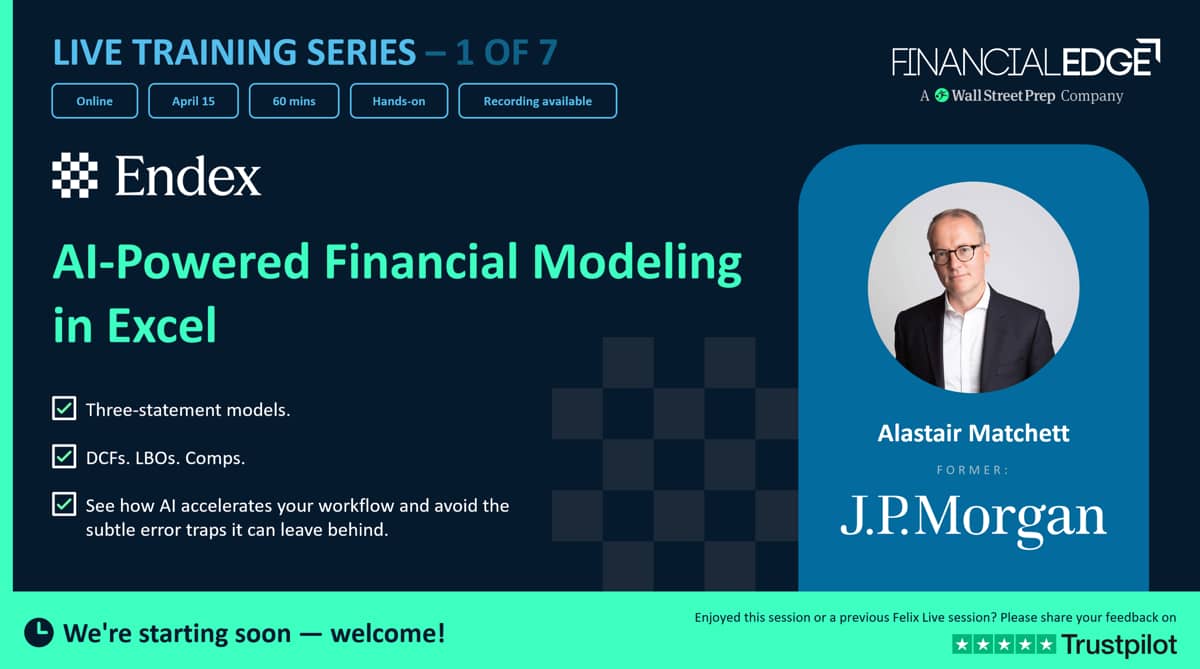
Endex - AI-Powered Financial Modeling in Excel - Virtual AI Series

- 01:01:28
Endex is revolutionizing how analysts build financial models through agentic AI built specifically for investment banking workflows.
 Endex Webinar
 Direct Line
Transcript
Hi, everybody. Welcome to this session on Endex. This is part of our seven series of webinars covering most of the main tools that we're seeing used in the industry. This week we've got Endex. Next week we've got Shortcut.
We're also covering Claude, we're also covering Rogo, ChatGPT, Copilot, as one of the main tools that are used.
And things are moving at a mind-blowing speed. I'm kind of shocked.
Even in the last month, things have moved on in literally leaps.
It's kind of shocking how things are moving forward.
My name is Alistair Matchett. I was a banker at JP Morgan doing M&A, focused on oil and gas and FIG, and then worked in private equity before going into the education business. We have got about an hour, and I want to show you the Endex tool as just one of these tools.
But I'm really focusing on financial modeling here, and I'm going to build three different models, depending on time, because sometimes the prompting takes a while.
A three-step model, a DCF, and an LBO.
And in my experience, the LBO ones, the tools have more trouble with. I'm going to go through a few slides just as an introduction, and if you have questions, don't hesitate to ask questions in the chat, because I can see them as we go through.
Okay, shall we get started? I'm just going to share my screen and we're going to go just through some slides really quickly.
This will just be a kind of placeholder for us before I jump into the Excel. The first is what we're going to cover, why AI is essential.
It's literally, if you're not using this, you are going to be left behind very quickly. Then we're going to go and just explain how Endex works and how some of the kind of customizations you can do.
And then we'll go into actually building the model, because I really want to show you that, and then we'll do some takeaways at the end of the session.
So modeling, I foresee in the very near future, modeling will not be building formulas.
Maybe you're building a little bit of formulas, but that will be kind of tweaking what the AI model has built already.
I suspect mostly financial modeling going forward, and potentially things like PowerPoint, will be essentially prompting.
And that's not just asking it to build a model and waiting, going away, and it's done.
It's asking to build a model and then asking it to adjust the model or change things, do formatting, add this component, and you'll see that you can build up more complexity in models just by doing incremental prompts. And actually, that's one of the most best ways of using these tools, is to do something pretty simple first and then incrementally add to it and build out the model. So I think the way we think about financial modeling will fundamentally change in the industry.
Of the top banks, and we teach pretty much all of them, about 72% are using AI tools in 2025. That's last year. Now, I'm assuming everybody will be using these tools, and if you're not using them, you need to jump on it right now.
So when should you start using these tools? Literally day one. And if you haven't got a job and you're looking to get a job, my absolutely 101 would be get something like Claude, get ChatGPT, and then literally really practice using prompts, because even Claude you can now add in financial services, add in to it. So these things are changing rapidly, and you really need to get comfortable with building things using prompting rather than just simply doing it in Excel.
So we're going to start today with Endex in financial modeling.
I was blown away when I first saw Endex, but frankly, if I'm really candid, I've been even more blown away by some of the recent tools like Claude, Cowork, if you've ever used that, that's amazing.
But this is a great tool, and they are changing literally by the week, by the month. In fact, Endex usually brings out new features every quarter.
They just brought some new features out literally at the end of last quarter, which was allowing you to kind of say, "This is the formatting we want. This is the standard formatting that I want you to use, which is consistent with my firm-wide formatting." So when you first start with Endex, you kind of want to treat it like a new analyst.
So it's probably been off on a training program, so it needs to understand some stuff, but to get it customized to your flow and your workflow, you need to build out the prompts. And the way I find this easiest is you can use some of their standard prompts, but actually, I, for example, in the three-step model, we'll go and build out the model and we will do an initial prompt, but then we will add more prompts as we go through. Then after you've finished and you're pretty comfortable with the output, then you can ask Endex to say, "Okay, review all the prompts that I have made over the course of building this model and create a kind of super prompt from all that." And that's what you can save into the system.
So when you come again to build another three-step model, it means that it's going to have all your formatting consistency, all the things you prefer the model to be laid out in that way, whether it's a kind of tower model or a multi-sheet model, whether it has calculations and things like that. So it's really important that you treat...
Initially, it's going to be longer to do, because you will build up the capability of the prompts.
But over time, the system will get faster and faster because your prompts will get better, number one. And number two, the system will actually learn on how you do that. So-Write your initial prompt, then refine iteratively, and then once you've finished and you've got something that's good, then consolidate that into one super prompt, and then save that in the system. And that's by far and away the best approach to doing this. So don't expect when you first start using these tools to type in "build me a three-step model" and bam, to have it something that's perfect.
It will produce something, but you'll have to iterate it quite a lot. Okay. So in the first prompt I'm going to use, this is the first prompt I'm going to use. I'm still going to re-prompt it afterwards, but I'm asking to build a three-step model of Coca-Cola.
I'm going to show you the model in a moment, so I know if you're waiting there, "Oh, I want to see how it works." Just hold on, we'll get there.
I'm telling it to use consensus estimates, so I want the model to be aligned with the consensus estimates that are being used.
So I've just had a question, "Is Endex available to the public or financial institutions?" Go on their website. You can ask them for access.
So I would just ask them for access.
It's not some of the models out there you can just buy it straight away.
But with Endex, I don't think... There's not a store on their website, but you can ask for access, and I guess they'll do you a deal on that. But at the moment, it's more of a B2B sell, but on the website, you can actually ask for access, so I'd go ahead and do that. So just coming back to this prompt, I've asked for it to use consensus estimates, and then I've said, look, for the other assumptions, keep them in line with the historical ratios. I've also said all assumptions should be hard numbers because often these tools, they will link it to the historical ratio, and I find that a bit irritating.
I've said include the three statements, and then I want interest calculated using an average balance and linked by an if statement.
Make sure there's no hardcoded numbers in the output area, and provide a detailed revenue breakdown by segment.
Now, I could have actually left that out, but I have prompted this before.
Now, just before we go into actually putting this prompt in, I'm actually going to go to my Excel, and I'm going to save... Actually, one thing that's quite useful to do, just save the file first. Let me just save this.
Let me just do that really quickly.
I'm going to save it on my desktop, and I'll call this KO Model.
There we go. So I've just saved the file first.
It's always good to do that. Let me go back to Excel.
There we go. Where has my Excel gone? Oh, here we go.
So I've just saved the model. Now, let me just show you, this is the Endex interface, which looks like the Claude interface as well.
They do have a little menu at the top here.
You can see you can upload a file, and there's some settings.
Or you can go to the Home menu, and you can see on the right-hand side you get all the different... I've got tons here, but we're focusing on Endex today.
You can access Endex here or any of the other tools.
Go to the Home menu, and there will normally be a button there.
But let me go back to the Endex here because there's a few settings that's quite useful to show you.
It's just loading. There we go. So this is something that has been input recently.
They have some inbuilt Excel shortcut keys, and you can give it the color cycles and the fill cycles, and then the auto colors.
So you can tell it what type of colors you want for different things. Inputs are blue, partial inputs are kind of this mauve color, and then we've got worksheet links are in green.
And so you can go and customize these items.
The same thing, you can customize for the generic standard number formats. I really like this because I want to make sure I have the comma separator, and I have the parentheses for hard numbers.
And then you can also do the same thing with the font cycle, and then border cycle as well, and then there's some just shortcuts here. So that's just something that you can assign.
That's helpful if you have standard color formatting that you want, which I often do. A couple of other things.
Can you see up here? You've got your chat history.
And then I'm going to click on Personalize.
So this is some instructions I put into Endex. I actually got AI to come up with these instructions based on some example models I gave it. So you can see here, I'm talking about how to hardcode numbers and dedicated assumptions, and I've told it how to balance the balance sheet.
I've asked it for roll forward schedules.
And I did this by giving it a model. I think it was actually, I asked Claude to do this, but you could ask Endex to do this.
And this means that you can kind of customize how it approaches things. So if you use Claude, this is kind of like skills in Claude. Okay? So I just wanted to show that. There we go.
Now, they do have some inbuilt prompt libraries.
So if I click on this, you can see here, it says All Prompts. I've actually created, this is my prompt.
So if you look at my prompt, build a three-step model. This is one I've saved.
So this is the super prompt that I created after building that first model and keep on re-prompting it, and then I aggregated that into a super prompt. So I'm not going to use that.
Then they have some Endex prompts here, and you can see you've got income statement forecast.
I'm not sure if they've got... Let me just see if they've got the three-statement model. Yeah.
Audit this model. So they don't necessarily have build a three-statement model here, but they do have some pretty good existing prompts, and it's quite good to use these because they will oftenHave things that you will forgotten about. They do have the three-statement model, and that's integrity. Okay, so I'm going to go back and we're going to start with a basic prompt here.
So let me go back to my slides, and I will just see if I can get this open and just see if I can... There we go. And I'm going to copy this.
There we go. Copy this prompt, so I've got it.
I won't write it all out because that would be really boring to do that.
So let me go back to Excel. So I'm going to come down here, and I'm going to paste in the prompt here. And let me just go through this a little bit more slowly.
So it says, "Build a three-statement model for Coca-Cola," and I put the ticker in brackets for five years. So I've said five years.
"Use consensus estimates for building key numbers," and Endex will pull in numbers. I think Endex uses CapIQ.
They may actually tell us down here. Yeah, got... There we go.
So they don't tell us. You can actually add connectors here if you have specific APIs, but they do have inbuilt into the system, I think it's CapIQ.
So it will take the consensus estimates for CapIQ, but I want to keep other assumptions in line with the latest historical ratios.
And I'm going to customize that. So, but don't link to the historical ratios.
All assumptions should be hard-coded, include the income statement, balance sheet, and cash statement. Calculate interest using the average balance, and link via an IF statement. I'm going to say to a switch cell.
No hard-coded numbers in the output area. I have seen that sometimes.
And provide a detailed revenue breakdown by segment.
I'm actually going to remove that because I want to get this done pretty quickly, and I can always re-prompt that. You can allow edits, which means that as it's working, you can ask it to kind of adjust things as it's working. Now, previously, in the first iteration of when I used Endex, it didn't actually ask you any clarifying questions.
In the more recent iterations that I've used, it has asked clarifying questions, so it may do that. So let's go ahead and prompt that.
And it's fetching data, so it's telling you what it's doing now, and it's getting consensus estimates for Coca-Cola.
So it's pulling in all this data here, and it's reviewing Coca-Cola's latest 10-K, and that means it's probably using the SEC filing to do that.
So it's using two different sources here, one of which is CapIQ, the other which is the SEC 10-K filing. And Endex is pretty good at pulling out tables from filings, and I've used it not just for US filings, but also non-US filings. So one of the other cases I've done, and if we get time to do that, is a non-US company.
And then it's also looking at the non-recurring items.
So here we go. I've collected Coca-Cola's income statements, so telling you to do that. And this will actually take some time to do.
I think what I can do is I can create another instance of an Excel and create another Endex.
Now, from memory, I think this does work, and just in the interest of time. So let me just open a new file because I just want to make sure. Sometimes Endex will stop and ask me follow-up questions, but I'm going to go to home, go back to Endex here, and let me just see if the other one stops.
It says it's the Windows tune now, and this is a really irritating thing that most of these tools have where it's obviously an Excel. No, it's still going.
That's good. Okay, so while that's cooking away, so it's like a kind of cooking show. So you've got one model building away on that side.
Now we can do another model. So I think what we should do is we should try the DCF model. The reason I like DCF, it tends to be a bit quicker because it should be shorter, and I'm going to build this in a slightly different way.
So let me go back to my slides.
So we started with the right prompt there, and the iterations I had to make when I did this last time is things like make assumptions all hard numbers, they link to historical ratios.
I did actually adjust the prompt for that.
Truncate assumptions to one decimal place.
Sometimes it will just copy and paste the historical ratio through the assumption area, so you've got a long trail of decimals which you can't see.
I don't like that, so I wanted to make sure it was truncated to one decimal place, and I did that updated prompt.
Remove the currency symbol. I've got a UK computer, and it was putting UK currency symbols in the numbers, even though it said all US dollars in millions, and that's because it's an inbuilt thing within Excel.
Equity income. So Coca-Cola has equity income, and I wanted it as a growth rate rather than percent of revenue, so I got it to prompt that.
It had quite a problem in the debt section.
So it didn't treat loans and notes payable as debt, so it wasn't paying them off because in an IB model, normally you just pay that off in the short-term section.
It was forecasting going forward.
And then I personally prefer to just have all the debt in one lump. So then I said, "Move loans and notes payable out of working capital," because it put it in working capital, "to balance sheet assumptions." And then I added them together, and then I sourced the five-year repayment pattern for the debt, asked it to do that in the 10-K, and it built in one of reasonable repayment schedules. So there are things that you have to do, and we'll see this to see how our little cooking is going.
So there we go. Don't panic. It's not finished.
It looks horrible at the moment. It will look better. Don't worry.
But what's nice is it is telling you what it's doing.
Some of the tools that I've used will prompt you a lot.
It may be because I've used Endex before that it's kind of learned from what I'm doing, and I've given it some personalized instructions as well. But you can see it's kind of building through that, so-I'm just going to carry on. Let me go back to my slides.
So those are the additional prompts I made. Okay? And then right at the bottom, can you see it says, "After this iterations, I'll send it to summarize all my prompts and then write a new consolidated prompt and save it for next time." Which means I don't have to do that iterative calculation before, which saves a lot of time.
So as you'll see in a moment, the prompt precision really pays off, and initially, your prompts, even if you-- And you may have some internally.
Now, most firms, they're building libraries of prompts that may be superseded by skills because skills are coming in, which kind of sit in the background of standard approaches for things like formatting, for example.
But I found that with prompting, in your initial first task, you're going to ask it to do something, then you have to keep re-prompting it. When it's done that, ask for a consolidated prompt and then save that, so that means next time it's going to be much, much better.
It says here Endex won't guess your house style.
Actually, they've just brought out a feature that said it will do, so watch this space. And then it can also read filings, so you can upload filings, and I find that sometimes if you do that, it's a little bit more focused. If you upload the filings, you're kind of tightening down the context for the model.
I tend to get better results there. Okay.
So let me just go back to see how we're doing.
No, it's still cooking. So I'm going to go, and our next example, we're going to do a valuation model.
So we're going to build a DCF model for Coca-Cola.
And what I'm then going to do is I'm going to try and build this.
I'm going to ask it a really generic prompt here, and then I'm going to build up the prompts, because I kind of want to show you how that iteration works.
So let me just see if I can do this. I'm just going to do it.
So build a DCF model for Coca-Cola.
And what you can also do here is when you are building the model, you can build it in the other sheet.
So once you've done the three-step model, you can then ask it to build a DCF model in another sheet and link that to the three-step model.
So you can build a toolkit model using this mechanism.
I'm just doing it separately because obviously we have to wait till that other prompt's finished.
So I'm just going generic, build DCF model of Coca-Cola.
I'm going to say a small, simple DCF model of Coca-Cola because I just want to kind of get this done, so it will build out. And let me just double-check that this doesn't mess with my other note. They're both cooking on gas.
So I've got two models running simultaneously.
So this is the new world, everybody.
You're going to be like an associate. So you think you're an analyst now? Uh-uh.
You're like an associate and you've got five analysts underneath you, and you're going to have Claude doing your PowerPoints.
You're going to have Endex doing your Excel.
You're going to have Rogo doing your comps, or maybe one model doing all of those. But the issue is you can have multiple things cooking at the same time, and you can start to see how powerful this is, because it really is going to 10X your productivity if you use them right.
And you've always got to check stuff because they do make mistakes. Let me just go back, see how we're doing with Coca-Cola.
What I'm going to do is...
Let me just see, because I've asked it to do a simple model, so hopefully it should do this pretty quickly because I want to be able to, because once you've built it, then you can kind of re-prompt it.
So usually when I've asked it to do a DCF before, it doesn't put a WACC calculation in, it just puts a single discount rate.
So then what I've asked it to do is, can you put a WACC calculation in, in a separate tab or a separate worksheet in the book, so you have a breakdown for that. So yeah, this should be pretty simple here.
Look, I don't think it's actually done a breakdown of WACC.
So one of the next things I'll prompt is give me a breakdown of WACC.
Let me see if I can get a third instance. Should we do it? Should we get a three instance? Should we get three pans on the hob? Let's do this, because this is still taking time.
I'm going to open a new spreadsheet. I'm going to save this as a new name.
I generally would recommend you always save these files first. So this is going to be called LBO. I didn't do that.
Did I do that with DCF? I can't remember.
So I've saved this as an LBO file. So let me just go back, see this is all working. Yeah, it's still working. How's that? So that's still working. Yeah, this is all going.
I've actually got Claude running on the background on a separate task now.
So this is like central control here. So I've got an LBO.
So let me go home and go to Endex.
And then here, let me just go and I'm going to see if I can build this up. More difficult with an LBO. So let me get build... In fact, here, what I'm going to do is I'm going to upload a set of financial statements here because I just want to show this to you, and I'm going to use a UK company.
It's a UK company called TJ Morris Home Bargains, and I'm going to upload this into the... There we go.
Actually, it's already been. There we go.
I'm just going to select that.
There we go, and done. I've actually uploaded that previously, so that's why it's on the list. You've got that. So I'm going to ask it now.
It's got this financial statement, so it's a UK financial statement.
So it's going to be the net assets format. So I'm going to ask it to pull out the income statementBalance sheet and cash flow statement. Probably will recognize the cash flow statement from these financials for all the historical years. So I'm just going to get it to pull out those financial statements. This is a private company.
This is why I've done it, because it's a private company, so it's going to go ahead and extract that from the financial statements.
Whereas in the other cases, it's going to be using CapIQ and the SEC filing data.
It does do non-US companies. Aha. So we're getting there. So this is the three-statement model.
So now you can start to see it's getting the formatting right.
It's put the circularity toggle there.
It's got the formatting there. Notice it's put a formula there for dividends per share.
This is actually learned from my prompts before, because previously it had to do a lot of re-prompting. So it's quite interesting.
It's kind of learned from what I've done before.
When I first started this, it was quite hectic. But there's a few problems here.
And notice I can still arrow around, the spreadsheet, and it will still keep working.
If you edit cells, it gets upset. So if you start editing cells, it goes, "Oh, I can't do that because I can't change anything." So you can move around the spreadsheet, but if you start editing cells, then the prompting will get upset. But if I just zoom out, you can see we've got all the financial statement.
We've got all the assumptions there. They're all in one sheet, which is good.
I've got an income statement here.
We've got equity income. Yeah, it's interesting, I had to re-prompt this before, so it's learned that I wanted the equity income split out there. Now, interestingly, what it's not done is it's...
Oh, it has put the non-recurring items.
So previously it didn't strip out the non-recurring items, so I had to ask it to update the model, look at the 8-K filings for non-GAAP earnings, pull them out and put it into a non-recurring line.
So I had to prompt that previously.
So it's interesting here, it's still got the flipping pound signs.
I think that's just an issue, because of my Microsoft computer.
But it has done a few things that I prompted it before.
Notice there's a really big jump in the operating margin.
I want to kind of understand why that is, because that seems really big.
And it's also only put in one historical year, so that could be an issue. You could ask it to put in some additional historical years, and we could prompt that. Let's go to the balance sheet.
Let's just check to see how it's balancing the balance sheet.
So the cash, it has put a max function in the cash.
Yeah, it has done... So this is actually learned from what-- This is kind of annoying from a learning point of view because it's learned from what I did before.
What I don't like is it's put all the equity section together. So it has learned some things, but not others.
It's got a non-controlling interest and it's just done an assumption.
It hasn't linked that to non-controlling interest on the income statement, and that's a bit of an issue. But you can re-prompt this once it's done. And then we've got the cash flow statement.
Let me just check to see the cash flow statement.
So the beginning cash, let's just double check that that beginning cash, so equals the financial statement.
So cash 10,828 hasn't linked it there.
It's a hard number, so I don't really like that.
So you've got to be careful about that.
So it's finished. Oh my gosh, we've got the three-statement model finished.
So we've got a little summary. And what's nice about these tools is they will give you a little review. It will give you some oversight of what your assumption's doing, revenue growth, gross margins.
So what I'm going to do first is I'm going to see if I can just correct some of the stuff that I don't like here. So I shouldn't be using my mouse. So let me just come here. So firstly, can you see the dates are formatted as commas and zeros. So that's really bad. So I'm going to ask it please ensure all the dates don't have commas or decimal places.
And let me just input in parenthesis the years, just so it understand that. So I'm asking to do that. And what it's going to do, it's going to look at the model and hopefully it will adjust that.
So this is where if you have got a super prompt, then it shouldn't do this.
Weirdly, it has learnt some of the stuff that I've done, but it...
So it is updating the year formatting up. Can you see it just magically happened? Dun-dun-dun. So that's updated the year formatting.
Let's just see if it's done the income statement. Yes, it has.
So it's done that adjustment there.
But again, ideally if you have a super prompt you'd never have to ask it to do that again. Let me just zoom out here.
Can you see the dividends per share? So I'm going to tell it, don't calculate the DPS on the assumption page.
Put it on the income statement and only put the growth assumption on the assumptions sheet. So can you see? You can start to see these little prompts, the things that will kind of build together in your super prompt.
So I'm going to ask it to do that.
So while that's cooking, let's go back. We got our...
Oh, no, the LBO is still going. Let me go... Oh, the DCF's finished.
Oh, we've got our DCF. Dun-da-da. Let's take a look.
So here we've got... I asked it to do a simple DCF here on purpose. So we've got DNA and we've got...
These are the main assumptions. Got CapEx.
Now, I don't like that it's got a hardwired CapEx. I can change that.
And it's hardwired DNA. These are consensus estimates.
Coca-Cola's a big company, so it probably will have consensus estimates, but it's always, I think it's dodgy using consensus estimates more than three years out because the numbers of analysts will shrink down. Also WACC's not broken out.
It's also given a terminal value multiple method as well.
I don't want to use thatAnd then we've got NWC is percent of incremental revenue. That's an interesting formula.
It's got 25, and so that's... Yeah, it's actually discounting 2025. Can you see that? So this is a really good example. It's treating 2025 as an estimated year, not an actual year. Now, I did have an issue with this previously in the three-cent model where it kind of did 2024, and then jumped to 2026 in the output area and left 2025 blank.
So that's the first thing I'm going to do is say, "2025 is a historical year, and the 10-K is already out." So you can sort of see why if you just have a generic prompt, it's going to make mistakes like that.
Make 2025 a historical year and discount to the beginning of 2026. I could have made other adjustments, but...
Oh. Hopefully, I just typed 2206. Let's see what happens. Let's see if it kind of goes bonkers.
Okay. Let's go back to our three-cent model, and it's finished that. So I ask it to put the DPS growth. Now, can you see? It's left that blank line.
That's a little bit of an irritating thing that I found.
It's put a blank line here. Let me just narrow this to 15.
Oh. Oh, really not having it. Let me just undo that.
Miss anything there? No, I didn't miss anything there. I was like, "Okay, that's good." Maybe make that font width 1.4. Not inch, but yeah.
So I try and do things too quickly. Let me make that 20. It's way too big.
There we go.
So we've got the key assumptions there.
Let me just go back. So let's go to the income statement, and let's just have a quick review here. So again, adjusted operating income.
So it has separated out the non-recurring charges, and it's put an adjusted EBITDA down here.
This is pretty useful because now you can see that's causing that big shift in operating margin there. Now, I could prompt it and say, "Move the EBITDA within the income statement," if you like that. And should we do that? Let's try that. So move the EBITDA to above the operating profit line. So you can start to see this is your new world.
You're going to be modeling by prompt rather than building formulas. I still think you will build formulas now and again, but I think getting your standard model built, you will just be prompting it and getting it to do that. So while that's cooking, let's go back to our DCF.
Oh, no, DCF's still cooking, because that's quite big. So the LBO, let me just...
Oh, no, this is not the LBO yet. This is the three statements.
So it's put in the income statement in.
These are all the hard numbers from the three statements there.
It's put in the balance sheet. Now, interestingly, this balance sheet, can you see it is a UK balance sheet? So what this is, is a net asset statement.
Weirdly, UK accountants don't learn accounting with assets equal liabilities and equity.
They learn accounting that assets minus liabilities equal equity, hence the layout of the financial statement.
All the assets minus the liabilities gives you net assets, and that equals equity.
So let's see if it can please reorganize the balance sheet so assets equals liabilities and equity. Hopefully, it will know that.
So I'm just going to ask it to reorganize that, and I promise you, if you are sitting there thinking, "Oh my gosh, I'm always having to grind through numbers using lots of Excel formulas to reorganize things, or analyze data, or do customer cubes," AI is going to take that all away. You're never going to have to do that really irritating data manipulation.
You've still got to check everything, but this is something that AI is just really wonderful at. So while that's doing...
Okay, that's quite a big change for the DCF model. But okay, the three-cent model, has it moved yet? I can see EBITDA is just moved within the middle of the income statement. Let me just do some checks.
So gross profit minus SG&A and other recurring charges, and then DNA, it's moved there.
Now, it hasn't put expenses as negative numbers. So I'm going to ask it to do that.
This is potentially quite a big change.
Please make expenses negative and check everything adds up correctly.
Okay. So I didn't like that. And so this is a really good example of where there will be a pain to have to keep prompting that. So that should go in your super prompt, or ideally, it should go in your personalization. So I know that if I put that in the personalization to have negative numbers in parentheses.
So it's going to be cooking on that. Let's go back.
Let's see if one of these other... Oh, it's still finishing the DCF. That's still going.Remember asking it to put in...
Oh, it's just taken out. Interesting. Can you see that? It's just removed the 2026 year, sorry, 2025 year, and just started with the 2026 year.
So it's still working. Let's go back to our...
And this is still working as well. So this is quite big.
These changes are quite big, and it's taking some time to do this.
So it's just reorganizing the balance sheet.
So we've got three pots bubbling on the stove here. We've got our three-statement model, we've got our DCF, and we've got this kind of reorganization of the three-statement model.
We could actually do another one.
I tell you what, why don't we do that? I think unless we've got...
Oh, there we go. No, the DCF is done. So let's take a look a bit more of the DCF here. It does compare it to the existing share price, and it's saying Coca-Cola is coming up with a discount, the existing share price of 39%. Wow, that seems quite a big change.
So one of the issues here is because it hasn't put a historical year in.
That's annoying. So I'm just going to ask it to put in the key numbers for 2025, so I can compare the 2026 year to the historicals.
Okay, it's just going to do that. Now, notice in my other prompt, I put 2206, and it has actually accurately recognized that I'm being a dumb a*s and not putting in 2026.
Maybe Endex is smarter than me, probably.
So you can see now it's going to add in the 2026 numbers, and then we can prompt this. We can add this more.
So we've done this. Oh, it's done our three statements. That's great.
So, ooh, can you see there's a difference there? Now, that could be rounding. And there sometimes is differences in historical financial statements.
It's got zero called-up share capital.
That seems to me a little bit weird why that would be the case.
It's just total assets. Yeah, that's a little bit...
I think what they've done, they must have combined all the equity together. So you've got amounts due to group undertakings. This is a subsidiary.
So I'm going to ask it to combine the amounts due to group undertakings.
Well, actually, there's no other debt, is there? So I'm going to assume there's no other debt.
I'm going to call the amounts due to group undertakings short-term debt.
There we go.
So it is going to rename the short-term debt.
I guess I could have done that myself.
Also, these little footnotes, this is showing you where all these numbers are coming from. I personally would like a click to the underlying filings, but most of the models don't have that.
It's also got the cash statement there and the balance sheet, and let's just go up, and we've got the income statement there.
Okay, so it's pretty good. So let me just see if it's made that change, short-term debt. It's made that change. That's quite a quick change.
Okay, so are we ready? We're going to do an LBO model of this baby. Okay? So, let's go back. Let me go to my slides because I've got so many things cooking. Let me just go back to see if there's any of these others.
Oh, actually this DCF. Okay, I'm not going to start the LBO yet.
Let's just go back to this DCF. Okay, so we've got the revenue line, the EBITDA line, DNA. So I could ask to make... Firstly, what I'll do is I still think this is a bit weird it's come up with...
Let me just double-check.
I asked it to put in 2025. So it's not a huge difference, is it? So that's going up through there.
And then the discount factor, let me just double-check the discount factor.
So one plus the WACC. Okay. So I'm going to ask it to do a couple of things.
Firstly, I'm going to ask it to use mid-year discounting in the present value calculation, and also do a more detailed WACC calculation.
Put the WACC on a separate sheet.
Now, you may think this is really time-consuming.
I could do it if I asked myself. Bear in mind, you're going to create a super prompt once you're comfortable with this, that will have all these iterative prompts in. So you kind of have to do this once, and then you can go ahead and do that. Okay, so while that's cooking, let's just put that pot to the back of the stove. And let's go back to the three-statement model because...
Let me just check these numbers. That's all good.
Oh, it's done all the expenses in negative. I love that.
Let's just look at the balance sheet.
Now, I don't know how it's balanced the balance sheet. So this is odd.
It's got no... It's got a max there, but does it have a plug item in the... Yeah, it doesn't have a plug item.
And long-term debt, it has actually taken the five-year forecast because I prompted that earlier, which is kind of annoying.
But let me just change the assumption.
So let's make this run out of cash. Let me go to the assumptions, and let me make my CapEx some crazy number. Oh, it hasn't done its assumption. That's annoying, isn't it? So let me make CapEx 50,000, okay, in the first year.Let's see if it runs out of cash.
Yeah, see, the balance sheet doesn't balance.
So what's happened here, it's done a plug for cash, and it's not done a plug on the other side of the balance sheet.
So I'm going to ask it, create a plug on the liabilities side.
So small, can hardly see it.
Side of the balance sheet.
Sheet and call it short-term debt.
Lovely. Okay, so I'm just going to do that.
So that's a good example of where this is a problem, right? Now, bear in mind what these tools are very effective with is you can upload your template that you use frequently, and you can upload the financials, and you can say, "Use this template and these financials to create a model." And I've found that that works really pretty well where you upload a template.
But I kind of want to show you the actual modeling process.
So if you have a preexisting template, it's actually very good because it is actually going to be much more effective if you do this.
So let's go back to my LBO. So I'm going to say, now create an LBO model assuming total debt, derived by EBITDA, is no more six times, and we need an equity return of 20%. And let's assume senior debt to EBITDA is no more than, let's say, 3.5 times. Use, let's say, BBB, BB debt cost for senior, and B debt cost for the rest of the debt.
Okay? So I've done that. Is there anything else I need? And then this is a private company, isn't it? Make reasonable forecast assumptions all as hard numbers, and put the LBO model on one sheet.
So I've asked it to create an LBO model.
I've given it some thresholds in terms of leverage, an equity return, a senior debt structure, cost of financing. I'm going to ask it to make reasonable assumption of everything else.
This is a private company, so there won't be any consensus estimates, and I'm asking it to go ahead. It's only got 13 minutes to do that, so we'll see how that's coming.
Let's go back to our other. So we've got our three-step model, and it's corrected this. Let's see if it's put the...
So we get a short-term debt plug.
Oh my gosh. It's corrected my CapEx error.
This is kind of scary, right? So I put that 50,000 in, and it's corrected. But the model wasn't working there previously.
But now let's go on the cash flow statement.
So got the ending cash.
Has it actually put the...
It's interesting. Where has it got this? So it may be a negative cash balance.
So this is all the kind of things which can be a bit problematic.
So if I make this 50,000 again, and I start to get to annoy it.
I tell you, I watched... Just check that's the right row. Yeah, it is.
I watched "A Space Odyssey 2001," which is a Stanley Kubrick movie. You have to watch that because that is so pertinent to today. I know a lot of you probably haven't seen it.
It's an amazing movie. It's kind of a bit psychedelic in places.
But you have to watch that because it will, I think, will scare you a little bit about where we are today. It's kind of really pertinent.
So I asked it, let me just check this. There we go. See, it works.
It balances in the first year, but it's not copied across. Can you see that? So that plug is not working in the future years.
So I'm going to say, why is the plug not working in future years? And I suspect it's the cash flow statement is not... Yeah.
Can you see that? The ending cash.
So that ending cash coming on the balance sheet.
The ending cash on the cash flow statement is wrong. So you can start to see here, this is why having super prompts is really helpful and having templates is really helpful.
So you can start to see it's not perfect, but when you've got super prompts, this is going to be much more effective because hopefully, you can tell it... I did tell it how to balance the balance sheet, but it's actually...
There we go. Let me just see. There we go. It's fixing cash.
So let me go backTo... Well, the LBO, that will take us some while.
Let's go back to the DCF. So the DCF, let's take a look. It's done a mid-year adjustment.
What else did I ask it to do? Let me just go. Oh, I did a WACC calculation.
Let me check the WACC calculation.
So this has come from the 10-year treasury yield from CNBC. That's a bit of a dodgy source, right? Equity risk premium has come from Damodaran, five point five.
Levered beta from S&P, versus the S&P 500. It doesn't say what the source is.
I'm just going to ask it, what is the source of the levered beta? And that's actually not, I don't think that's so far off. It's got the equity and debt.
I think that's actually not too bad WACC calculation.
Maybe the equity risk premium, I mean, it's Damodaran, but it could adjust that a bit. I mean, interest rates have gone up.
I mean, yeah, I think that's probably all right. I'm pretty comfortable with that.
So it's done a WACC calculation there.
And then let me just see what it says.
So levered beta is a five-year monthly levered beta versus the S&P 500, which is the... Dunno.
Yeah, interestingly, it must have done the calculation itself, wow.
It really...
And that's actually about right. In terms of the beta, that's about right.
So I'm not going to change that. And I thought I should have used the source for that. So this has come up with... Let's take a look.
I'm going to ignore this is the equity multiple method.
That's the perpetuity growth model, or exit multiple model.
It's still saying it's a bit overvalued, so that...
Can you see how big a change that was? And it's a bit kind of worrying, isn't it? So, and it's done a data table.
And the data tables, now can you see that formula? The data tables, it doesn't do data tables as we'd normally build them in Excel.
It does them with these long formulas, which is a bit irritating, but it means you don't have that issue with data tables.
But otherwise, this is pretty good.
Let's go to the assumptions.
It's put in... Now, what I could ask it to do is, I could ask it to put in a PP&E schedule and some asset efficiency.
Can't spell. It will figure that out. Efficiency ratios.
So you can start to see this is, your prompting is really useful. So it's going to put in some asset efficiency ratios and a PP&E schedule. I want to see a base calculation there.
I did that on purpose because I want to show you how we can build up the revenues.
Let me go back. The LBO is still cooking.
And then there we go. Has it completed this? There we go. That seems to be good. It's also done the calculations.
Can you see it's done a roll forward for PP&E, and it's done the retained earnings roll forward. Let me see if there's any other things that I want to change here.
Let's go Coca-Cola model.
Let me just see.
No, I think DNA, percent of prior PP&E, I may change that, but I'm going to put, make the CapEx assumption a percent of sales and DNA a percent of CapEx.
Also, it's got equity method investments growth.
That's actually an investment in L'Oréal.
It's got the annual repayment. So that comes from the debt schedule.
That's something I prompted earlier.
And then let me just, in the balance sheet, see if it's got...
Yeah, I don't like that we've got multiple of these equity lines.
So you can re-prompt this. So I'm going to say combine the common stock and APIC with the AOCI and treasury stock.
And have one assumption for this line. Okay? Now, hopefully, it should do both of those now. So I've prompted it while it's prompting.
Okay. I'm nearly... Let's have a look.
It's still building this out.
Let me see how this is...
Oh, it's done it. It's done it. Let me just see. Has it got the LBO? LBO model, it's done. Great. So it's got transaction date, LTM EBITDA, then it's got a multiple, and this is just in cash.
Now, it did do an error in the enterprise value calculation.
So enterprise value minus cash, plus debt repaid.
Well, no, this is not correct, is it? Because the equity purchase price, so transaction fees. So you've got the enterprise value, you've actually got to add the cash because you're going to have to pay for that, okay? I guess, unless it gets repaid.
And then you'd subtract the existing debt.
And you also wouldn't... Yeah, so that's not correct. Can you see that? So I'm just going to adjust that. So the equity value should be EV plus cash minus debt, and the fees should be shown separatelyOn the uses of funds from equity and purchase price.
Okay, so you can start to see, you really do need to know your stuff to be able to do this. But it has done this.
It hasn't actually put the cost of financing. Let's see what cost of financing.
It's put in interest rate there for the senior debt, subordinated debt, mandatory amortization, that's a US thing.
I could remove that.
And then sources and uses, that does balance, and then it's done a little free cash flow. Then it's given that senior debt amortization, subordinate debt's kept flat, that's fine.
Some credit metrics, and they are at 13.7, so it doesn't kind of work terribly well, but it does give you an LBO model.
We don't really have time to go through this, and I want to get that corrected because that's just wrong. Okay? But just so you can see how you've got to check this stuff.
And let me just go back.
Still doing... This is finished. So we did quite a lot of re-prompting here.
So I'm now going to ask it, so create a super prompt from my original prompt, plus all the adjustment prompts I made. So it's then going to hopefully, it will just come into the chat window there.
So it's going to update all those prompts there.
So that's cooking away. Let's hop over while that's doing that. And then, in fact, I could probably just copy that.
Let me just copy that.
And the LBO's still making adjustments.
But here, for the DCF, I'm just going to paste in that as well.
I could have asked it, one thing is I want to just ask it to give a more detailed breakdown of revenues, and it will do that as well.
And you can start to see it's going to create a super prompt.
And let's go back. The LBO is done. Let me just double-check this. Enterprise value is the equity value.
It's still putting in... It's left out the transaction fee, is good. And let's just see if it's done the sources and uses.
Yep, that's done it. So that is correct. So you can see how it's...
You really do need to know your stuff. Let me get a super prompt there.
Paste that in.
So it's going to get a super prompt. Let me go back. That's still working.
Pro forma model.
So this is the super prompt. Can you see here? This is the super prompt. So I'm going to copy that, and then I should be able to put that into my prompt library.
Let me just see if...
Yeah, it's not actually going to...
That's annoying.
Let me just see.
I should be able to put in that prompt library.
So maybe what I need to do is just paste that in, and then just take this out.
Pro forma.
And then it's going to do that. And then what I'm going to do is I'm just going to save that prompt. And you can put it in your folder, you can put it in your team folder, so other team members...
So this is a build a three-step model.
There we go. And you can save that prompt.
And then you can do that with the other ones as well. Now we are out of time.
Oh my gosh, I can't believe it. It's gone so quickly.
So I did the refinements there, added WACC, got market data. You can actually ask it to discount to a valuation date, and you can audit the output area as well.
We prompted an LBO model, and then I asked it to correct the equity to enterprise value to equity value bridge.
So PDF extraction is powerful.
You need to really scrutinize the calculations, though, okay? And then you need to make sure you save your iterative prompt as a super prompt.
Thank you so much for watching. I hope that was instructive. It's the new world of financial modeling. It's going to be called financial prompting, frankly.
But can you see you had multiple pots boiling, and we could do multiple models? And the more you iterate your prompts, the more your prompts get better, you'll have to do less iterative of the prompting. So it really, really helps.
It's going to be painful at the beginning, but it will get better.
Thank you so much for watching. There is a feedback form in the chat.
I would love you to fill it out. Please fill out the feedback form.
That would be really, really great.
Next week, we've got Shortcut, which is another in Excel tool, and then we've got a whole load of others there.
It's literally that the world is changing at a breathtaking speed.
It's like being on roller skates and holding the bumper of a speeding car.
It's changing so rapidly. So it's really worth getting on top of these tools and start to use them.
Thank you so much for being here. This session will be recorded, and it will be shown on our Felix platform. So you'll be able to get access on our Felix platform.
But thank you so much. Really appreciate it.
Have a great rest of your day.