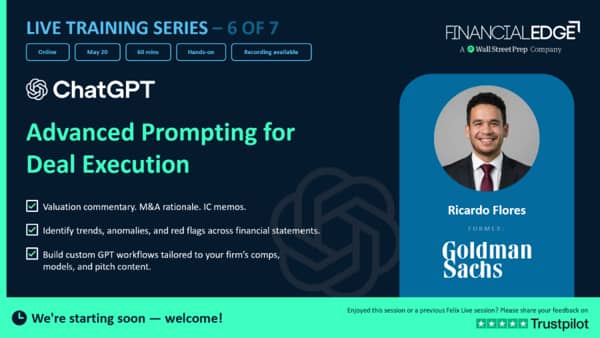
ChatGPT - Advanced Prompting for Deal Execution - Virtual AI Series

- 01:07:44
ChatGPT has become an essential tool for investment banking analysts, accelerating research, drafting, and analytical workflows.
 Felix Class Prompts ChatGPT
Glossary


Transcript
Good morning, everyone. Thank you so much again for joining our virtual AI series. This series is going to be about ChatGPT, doing advanced prompting for deal execution.
Let's go ahead and get started. I know people are trickling in, but we have a jam-packed one hour that hopefully will be incredibly useful to all of you today.
Great. So today we're going to talk about ChatGPT for deal execution, for advanced prompting, investment banking.
A little bit about myself, won't bore you too much, but my experience comes from doing sales and trading at JP Morgan.
I was a trader at first, then transitioned into investment banking at Goldman Sachs. I was there for a couple years in New York.
Then I went ahead and left Goldman Sachs and was one of the first founding team members of a startup called wealth.com, where we digitized estate planning.
It was a great startup that now is worth over half a billion dollars. I was a product owner, so I went from being a finance guy to being a tech person and learning how to build a tech company and how to manage software engineers.
And that's when I started to dive into the world of artificial intelligence. Then I transitioned and became a consultant for large firms like Morgan Stanley to help implement artificial intelligence tools like ChatGPT.
And now I have my own startup here in Silicon Valley called Michamba, where we do artificial intelligence through WhatsApp.
But I'm also an instructor here at Wall Street Prep, also working really closely with Financial Edge, and I'm super excited to be working with you guys today.
So I bring in that perspective of finance because I've been in your shoes, but at the same time, I bring in the perspective of artificial intelligence and technology, given the fact that I'm very deep in the weeds here at Silicon Valley in building AI.
Great. So what are we going to talk about today? Today we are only going to use ChatGPT, and I'm going to try to demo as many tools possible within the ChatGPT realm. We're going to talk about projects.
How do we set up a project to set up a deal? To analyze the tickers that we're going to be looking at, which in this case, we're going to be analyzing United Airlines. So how do we set up the project for financial statement analysis as well? So how do we create that analysis in Excel? How do we do industry and comps research? We're going to start activating deep research function and agent mode. We're also going to look at valuation commentary and comps analysis by building our own GPT that's going to do that for us.
We're going to also start diving into agents.
Agents are the latest tool that ChatGPT has released. So I have a little treat for you guys because this is the latest edge of ChatGPT.
So agents are very new and they're very powerful.
I would like to say they're like the step up of GPTs.
Then we're also going to look at client communication and drafting.
We're going to be activating canvas mode, but we're also going to be building skills. Skills are another great new tool that has been revolutionizing artificial intelligence for the past, I would say, four months. And finally, we're going to also activate skills inside of Excel. So very excited to be here, and let's go ahead and dive in. So not too many slides today.
Today we're all going to be hands-on-keyboard.
We're going to be inside of ChatGPT, and we're just going to start working in there. So I'll go ahead and transition here and start sharing my screen so that we can start working inside of ChatGPT.
All right.
So we should all have ChatGPT open.
The first thing that I'm going to go ahead and do is, like I mentioned before, we are going to work on United Airlines today. That's going to be the ticker.
So the first thing I want to do is I want to open a project, and I want to call it UAL.
Ooh.
For a reason, it's in white. Let's see if once I create the project, it'll turn black. All right, perfect.
So we have our United Airlines project. So what are projects? Very quickly, think of this large language model space in ChatGPT, where we go to the new chat.
If we were to just start uploading files, start analyzing United Airlines in the regular chat, what would happen is we would continue on with our work, and we would start prompting more things later on not related to United Airlines. Maybe start asking ChatGPT to help us with emails and with other summaries, et cetera.
And what would happen, it would start clouding the memory layer of artificial intelligence.
So we always recommend creating projects because what projects do, they're just little mini large language models that are constrained to a specific dataset and that are constrained to specific memory towards something.
That way, if you just want to go back and reference any United Airlines work, research, prompting that you've done, you can just go in and reference it in your project. So you don't have to re-upload any data, re-upload any information.
So projects are very useful in that sense.
So now that we've created our project, the first thing that I want to do is I want to feed my project a couple of filesWe want to make sure that our project has sources. So there's the sources section in projects, and what I'm going to go ahead and do here is I'm going to feed it a couple of 10-Qs, a 10-K. We're also going to feed it some United Airlines transcripts and financial data. So I want my project to have all the sources that it has. For this example, we're going to go back to 2024 and assume that that's the year that we're looking at. So we would probably be analyzing this company in 2025 based on the information that I'm uploading. So just to confirm, I have all my sources uploaded. I drag and drop them here in the sources section.
And now it looks like we are ready to go.
The sources are uploaded.
One thing I always recommend once you first upload sources is to first ask, "Give me a summary of all the sources you see inside of this project." It's just a really nice quick check to make sure that ChatGPT and you are on the same page and that you're pulling everything, and that it's reading everything inside of the project.
So here we can see the earnings release.
We can see the earnings call transcript, the 2Q, Q2, Q3. Perfect. We have our Q4.
Also uploaded a model that we're going to dive deeper later on.
And it tells me a couple of themes that it's seeing in the project.
So overall, it's looking like it read my project pretty well.
So perfect. Now we're ready to dive into a couple of the analysis.
So the first analysis that we're going to do is we're also going to create project instructions.
So right before you start asking more questions in your project, what you want to go ahead and do is go on the upper right-hand corner right next to share, right here in these breadcrumbs, and you're going to open project settings.
Here you're going to see the name of the project, which we put as United Airlines, but the second thing is instructions.
Think of these instructions as a way to educate your little large language model baby. You want to give it some sort of biasy.
You want to give it some sort of preconditions so that whenever you're prompting inside of this project, it knows how to respond to you, maybe a certain format that you want the outputs to look like.
Or you just want the project to have a little bit more context about who you are.
So I always like my prompts to have nine points, so nine sections within prompting, and those nine points are the role, the context, the task, what the deliverable looks like. So what format do you want? I like my prompts to have constraints. So what must the model not do? Evaluation. How will the output be judged? Bias control. What lens should be applied? Interaction. How should the model interact with you? And the last thing is iteration. How does the model proceed autonomously or pause? So let's go ahead and analyze quickly this prompt that I'm going to put into my projects.
I'm going to say, "Hey, you're an investment banking coverage analyst supporting United Airlines. Here's a couple of the contexts.
You're operating in the environment and the work product may be used for company profiles, earning updates, valuation work." The task is that you just want to support with financial analysis and banking judgment on United Airlines by extracting, summarizing, comparing all these files that we're going to be continually uploading. What does the deliverable look like? We want responses to be in dollar amounts.
We want fiscal periods to be formatted.
We want qualitative claims to be site-specific sections.
So these are all very specific instructions that I want my project to have. That way, every time I prompt inside of this project, it takes into consideration these things. Right? So I go ahead and add these to my instructions.
And perfect. That's all that it's going to happen.
Now any prompt that I do inside of the project will take into consideration all of these rubrics and guidelines.
So now let's go ahead and do our first prompt.
Once again, prompt outline is very similar. And what I want this to do is I just wanted to evaluate United Airlines, using the 10-Ks and the 10-Qs.
And then I wanted to read. And the deliverable here that we're going to first look at is I want to understand revenue trends.
I want to understand margin trends, some working capital movements, CapEx, StatX, just a full summary of what we're working with, before we start doing further due diligence on the company and before we even start modeling.
So put that here. I paste it, and I hit it.
So while this is running, I want to say these prompts are pretty lengthy.
And many of you might be thinking, "Oh, gosh, I don't have time to be prompting all of this." Right? "This just takes too much time. I get it. It's an incredible prompt.
But I need less time. I need to prompt faster." For that, I recommend that you create a GPT, and we're going to dive into GPTs later on.
But I have something that's called the Master Prompter GPT.
And the Master Prompter GPT is a GPT that literally takesVery messy prompts. So it transforms rough or basic user prompts into the framework that I've been mentioning to you guys. So just a caveat there.
If you guys want to make your prompts more efficient, make them more powerful, definitely create a GPT that's a master prompt or GPT. That way you can just send unstructured prompts into this report.
So here it says that it paused and the most recent non-attached found in the uploaded project files. Seems like it didn't read the current files, but we can go ahead and say, "Yes." Go ahead and execute with the files that you have.
And that's why it's very important to always double-check to see if you have uploaded all the right documents.
For example, here it's telling us, "Hey, it seems like I don't see the 10-K attached." It seems like I did, but let's go ahead and see.
Perfect.
So it's starting to now execute with the files that I have uploaded.
A great check to make sure that it's pulling the right data, that it's not hallucinating or that it's going out there and pulling other data, is that you will have the ability to click on these files here. So this is a good double-check to make sure, hey, let me look at this file. So if it's giving me my revenue trend, it's sourcing the 3Q 2024. I can click on it and then I can open it.
Yeah, this looks like the file uploaded.
So these little blocks will let us know where the sources lie.
And then it's doing exactly what I prompted it to do.
It's giving me a nice table of categories, understanding the revenue trends in domestic and Latin America, margin trends, debt liquidity, CapEx, you name it.
So this is a nice little summary table where we can see the category, the finding, and some couple diligence actions that we can look into.
So quick recap here is always operate inside of your projects because once you are able to do that, you can have a chat history that's just very specific to United Airlines. So that's one of the biggest pros because as we all know, the chat history for regular chats can get very busy here.
Right? So we want to make sure that we have a just more organized chat.
So, okay. So first thing done, we identified some trends and anomalies. We did a little bit of an analysis on United Airlines. Now let's assume that we have all the information. We have a quick overview, and now we're ready to start doing some sort of modeling.
So let's go ahead and jump into our financial modeling very quickly. Right? What I have here displayed is United Airlines' three-statement model. And what we're going to do for this demo is we're going to open ChatGPT as a plugin here on the plugin side, you can find it, and we're going to add a new chat here.
So what I want to demo here is let's say we're building out this model.
A lot of us before artificial intelligence, what we would have to do back in the good old days is open up these documents and then literally, manually pull the documents that we open, right? So we would open one document, and then we would start finding the numbers to just fill out our historicals, right? So if we wanted to find a specific historical or depreciation amortization, we would look at our numbers here, and then we would go to our model, to our Excel model and fill it up manually. So what we're going to ahead and do now that we have ChatGPT inside is we're going to autofill a couple of these datasets. That way the AI doesn't have to do it or we don't have to do it manually. Right? And the datasets that we're going to fill out are going to be the following. We're going to do rows 118, 119, and 120.
I want to first show you what these datasets look like.
So we're going to look at revenue-related metrics in the passenger load sector. So let's assume that we didn't have these here, right? We didn't have a consolidated domestic and international passenger load factor.
How could we populate this without having to manually go into our financial statements and do it? So I have a really neat prompt that I want to share with you guys here, and that prompt is about going out there and searching the web for United Airlines, finding the quarterly releases, 10-Q filings. Do a data extract for each quarter.
So find the consolidated passenger load factor, which are the ones that we had mentioned, the domestic factors and the international one.
And then very important is to identify a source priority.
Say, "Hey, United, the sources need to be from unitedairlines.com."This is incredibly important because at the end of the day, sources are everything. So if we were to just go ahead and do this prompt without giving it source priority, ChatGPT could probably go out there and find sources from Reddit or find sources from all of these non-primary sources. So that could obviously impact our output.
So even though the numbers might be pulled and the response might look right, the sources might be questionable.
So every time we're in AI and we're doing some of this prompting, sources are everything.
I'm going to give it some formatting requirements.
Obviously, I don't want this pool to affect the formatting that we have in our financial statement. And then very, very important is the verification step. So a lot of us go ahead and start modeling with AI inside of Excel, and we get frustrated very often when the AI starts doing things for us, and it starts changing things that we didn't ask it to change.
So we want to be super restrictive when we're doing prompting inside of Excel.
So I always like to say, "Hey, before writing, show me a preview of the data points with a URL, and then wait for my confirmation before populating the cells." This line is key. It's crucial to making sure that it doesn't overstep the boundaries and that the model doesn't do too much for us that we didn't ask it to do. Perfect.
So now let's go ahead and put that prompt here in our chat and let's run it.
So while this is running in the background, what I will go ahead and do is I'll go ahead and hop into the other V module here.
And now let's go ahead and activate something that we like to call, or that ChatGPT calls, is the deep search mode. So for those of us who are new to deep search, deep search mode is just a more comprehensive large language search engine where it doesn't just pull data really fast.
It actually starts grabbing larger sets of data.
It starts synthesizing further, and it gives us a more in-depth response, rather than just a quick, fast, what we would like to say in artificial intelligence, quick search up.
So deep search research is really, really powerful whenever we want to find new data sets or we want to find new points.
So for our deep search prompt, what we're going to go ahead and do is that we're going to ask it to build a banker quality comparable companies analysis. So we're going to do some trading comps and precedent transactions analysis.
And the reason why deep search is a great tool for doing comps analysis is that it really goes out there and searches everything that makes sense for United Airlines.
So many times we will not know or not have a good periphery of all the comps, of all the metrics that we need to look into.
So why not have AI be our little research analyst and do it for us? This is a great, great use case for prompt.
So, I'm going to give it some company universe selection. Tell it how to evaluate the airlines based on their business mix to their hub structure, their corporate level mix, loyalty economics. All of these things are something that all of their competitors have in common. At minimum, evaluate the following comps.
So obviously, we can find some of these comps stated in the 10-Ks and the 10-Qs, but also these are just the big names that come to mind. But once again, I always say, "Hey, at minimum." Right? So maybe there might be others that are relevant in our exercise. And then I wanted to include a couple of things, right? So some market statistics, some valuation multiples, some operating metrics.
So this is a very comprehensive prompt, and let's go ahead and do it. So once again, my prompts always have those nine pillars that I have referenced before.
All of these prompts were created by my master prompter.
I definitely did not write these prompts myself manually. That would have taken forever.
All right, so it's looking like we have our deep research enabled.
Here is very specific, right? So some things that we want to look into.
Do we want to just search the web, or do we want to do specific sites? I recommend doing specific sites.
Maybe you want to do deep research on a company and you don't have all of the company's financial datas, like their 10-Qs, their 10-Ks downloaded.
In this case, I already had all these files pre-downloaded in my folder.
But let's say we didn't. This would be a great use case where, hey, I haven't had time to find them. I'm going to go to a specific site and I'm just going to insert the link of United Airlines, their United Airlines investor website. That way it just pulls from there.
Or, hey, I need to go to the SEC, or I need to go to Edgar.
I can put in that site and it will just pull information from there.
But for now, since we want to go out there and find a lot of things, we're going to search the web.
Great.
So I pasted my promptAnd the thing about deep research, the only opportunity cost here is that it's going to take a good while to load.
So it's going to take a while to load here.
But while that's loading, let's go ahead and come back to what has happened since we did the prompt for our model.
So let's analyze the model. It went again and sourced all the quarterly load factors. It gave me a row.
I asked it to give me a preview and not work the changes yet. So do not populate anything yet.
Let me-- show me a preview here on the left-hand side just to make sure everything looks good.
So once again, it's pulling 1Q 2023, 2Q, 3Q. It's pulling all the Qs that I've specified.
All the numbers look good. It also has given me the sources for each number that it pulled. That way I can always go back and reference it.
So when I click on the sources, it'll pull them on my other screen.
And then it also gives me the source URLs, which is what I asked.
And the last thing it say, "Please confirm, and I'll populate it." So everything looks good, and all I got to say is confirm.
So now that I've confirmed, ChatGPT will go ahead and populate those rows for me.
Once again, very important that you do that safety check.
And see, in a matter of seconds, we have our rows populated, which were the exact same numbers that we had initially.
So this is really good for us to just pre-populate models, but obviously, always remember to double-check your work on the right-hand side of the table.
Now, if we want to take this a step further, we can do something that is called skills. So ChatGPT just recently released skills.
And skills are markdown files. So not to get super technical on this call, but up to about probably six months ago, us as regular humans, the only way for us to communicate with these machines or communicate with artificial intelligence was through prompts.
And prompts, as we all know, are not super specific.
So I can go ahead and give a machine my prompt, and then Onuma can give the machine the same prompt, and we might get very different responses.
And that's because machines are patternistic by nature.
But what markdown files have done, and these markdown files are what ChatGPT calls as skills, is that they can actually create very specific instructions that even if I were to share this markdown file with Onuma, she would actually get the exact same response.
So I always like to think of AI as the investment banking analyst, and the markdown file is the job description.
It's very specific. It knows what it needs to do.
So skills are these repeatable workflows or these repeatable abilities that you can just execute, and it will always do it the same way based on how you configure it.
So I have created a skill that's called the debt scheduler skill. So how do you create a skill? You go here to Skills, and it's going to give you a couple recommendations.
There's a financial modeling skill, so you can use this when building or editing or reviewing financial spreadsheets.
There's a corporate and finance spreadsheet style skill.
But what I went ahead and did is I built a debt scheduler skill.
So a little bit about creating a skill.
You go here, you put the name, the description, and you just tell it what you want it to do. So my debt scheduler skill, I told it, "Hey, you are a debt scheduler builder. You build clean, model-ready debt schedules for tranche level inputs." So the input is going to be go and find debt tranches for United Airlines, and each tranche and specify the principal amount, the interest rate, the amortization, the issue and prepayment assumptions.
And then I want the output structure to have-- I want it to be a table that's a tranche summary, and it's going to give me all of the tranches, but also an annual debt schedule.
Gave it a couple of calculation metrics and rubrics here, some output conventions. Hey, once again, this is how I want my numbers, this is how I want my fiscal years. Some hard rules. Hey, never invent inputs not provided. These hard rules are very important.
We've had cases where AI will do whatever it takes to look right, even though it's not right. So let's say the balance sheet isn't balancing.
If you were to tell AI, make it balance, it will make up these numbers, but the numbers are not right. So the balance sheet might look like it's balanced, but the actual numbers are not right, or they're being pulled from unreliable sources. So I always like to put in my hard rules, never invent inputs not provided.
We should obviously as analysts, and as just humans, be checking AI, so that it doesn't hallucinate or do things, but it's always good to incorporate it in your instructions.
And then finally, there's a couple of tranches here.
So I want to activate my debt scheduler.
So another quick tip is that once you start building these skills, once again, these skills are repeatable workflows, repeatable actions.
You can activate it by forward slashing, and here you can see the list of skills.
So you can always activate them here on your Excel.
So I went ahead and activated the debt scheduler skill.
And what it's going to ahead and do is going to create a separate spreadsheet with the debt schedule based on everything, all the rubrics that I mentioned.All right. So we have that running. And notice how throughout this whole session, we've just been hopping through different methods, and that's what we want to do as we get more advanced with artificial intelligence, is that we don't just want to sit there and wait as the machine thinks. We want to start doing some type of workflow tool chaining where you start doing some research there, then you activate AI to do analysis here. But you always want to continue moving, right? Because the idea here is to have AI work in different workflows at the same time so that you can be the most efficient as possible.
So now let's go back here and let's start to create a GPT. So if we go back to what we've done so far in our session, let me go ahead and pull the slides here.
So we've done projects. We've looked at ChatGPT in Excel.
I went ahead and skipped and went over here and started building skills in modeling.
We have deep research going in the background.
That's still going to take a couple of minutes to still flush out.
And now what we're going to go ahead and do is we're going to do valuation commentary and comps analysis with GPTs. Right? So why do we want to build a GPT to do comps analysis? Once again, this is a repeatable workflow, and GPTs are really good at doing things that are very repeatable. So I like to think of GPTs as also they're this machine learning model that is super specific, and that it doesn't need to be pre-configured every single time.
It just goes ahead and does things.
So what's the difference between a GPT and a project is that a project, that's where you upload data sets, and that's where you pull data. It's more of research extraction, right? So you feed it files, and you can start asking it whatever questions. So it's more about the memory of AI.
GPTs are more about the hands of AI.
How can it start doing things that are repeatable? So let's go ahead and create a GPT.
And before we do that, let's go ahead and see what we're going to create here.
All right.
So we're going to build a GPT that's going to be a comps narrator.
It's an investment banking writing assistant that converts trading comps and precedent transactions tables into polished pitch book fairness opinions.
The context, obviously we're IB analysts.
We're going to interpret provided comps.
And the deliverable, what is this deliverable going to look for? I want a universe logic paragraph where it describes the peer transaction universe.
I want some position in the subject company versus the peer mean and median across provided valuation metrics.
And the last thing is I want an outlier discussion, so identify any outliers and explain this outlier.
So these are going to be the instructions that we're going to put into our GPT. Once again, the idea here is that we can run this every single time wherever we're refreshing comps or we're doing another analysis. So we're going to call it the comps narrator. That's the name of our GPT.
So a couple of quick things here. When you're building a GPT, there's a couple things. You can either create it here in this chat, and this is ChatGPT's way of saying, "Hey, let me help you build a GPT." So if you don't have a really good prompt, or you don't have really good instructions of what you want to build, you still need some sort of assistance, then on the left-hand side in Create, you can do that.
But given the fact that we know the instructions pretty well, the configure side is just, hey, I already know what I want my GPT to do.
I already know the name of my GPT.
We don't need to create it alone. So I'm going to go ahead and just configure it myself, and all you need to configure is a name and some instructions.
So let's create that GPT. Once again, when you're creating GPTs, you can also share them with your team. Please start communicating with your teammates what GPTs are out there.
Because it would suck if you guys are all building the same GPTs.
Obviously, these instructions can obviously be updated.
So these GPTs can obviously always be involved and evolving with just more accuracy as you start to play with it.
So now that we have the instructions of our GPT, let's go ahead and see what we can do. So it can be as easy as give me comps analysis for UAL.
So couple things here.
GPT is going to ask me, "Hey, you can upload or paste the trading comps table." So let's go ahead and see how we're doing with the deep research that we've done so far.
So we go United Airlines.
If you remember, we had asked it to give us some deep research information.
Here we have some informationIt's looking like it didn't pull the comps analysis. Let's see.
All right. So let's go ahead and go back.
It's looking that the deep research did not run how we wanted it to do, so let's see if we can activate it again.
Deep research.
Let's go to our deep research prompt.
Dun-dun-dun.
And sometimes that happens, right? When you want to do a couple things.
Let's see if we can just make it a little bit less specific and say, "comps analysis with these names." Let's see how long the deep research takes. So, okay.
So tells me a little bit about what it's going to do.
It's going to collect official deal announcements, extract transactions, gather financials, compile comparable strategic airline transactions, and assemble. Yeah. Let's go ahead and start it.
Once again, this is something that...
A mistake I did here is I thought that the deep research was running all this time, but it actually wasn't.
So when you're moving too fast, things like this happen.
But now the deep research function is working, and it's going to do the research. So still going to be thinking.
It's going to take a lot of time. Deep research usually takes anywhere from two to 10 minutes to complete its whole analysis, and that's why I always recommend, hey, while we have this running in the background, let's go ahead and do some other things, right? So that's why I went back and did some modeling.
I was building my GPT. But while this is still running in the background, we can go ahead and jump to the agentic side of ChatGPT. So the good news is that there's still a lot of things that we need to cover when we're doing our financial analysis, so we'll just let that run in the background. I'll create a new tab here just to not mess too much with what's going on in the background.
And what I'll go ahead and do is go to agents.
So on the left-hand side, like I had mentioned before, ChatGPT has released the new agentic world.
This is really, really powerful. So a couple things here.
If you don't see agents in your left-hand side of your ChatGPT, it's because agents right now are only enabled for enterprise client or business accounts.
So the hack here, if you're doing some of these analyses or preparing for interviews or just want to showcase how powerful you are, and you only have a personal account, what you can do is you can buy the business plan.
You only need two accounts to create a business plan.
So maybe split that business account with your friend, with a colleague, et cetera. And it's only two $25 licenses, and now you're a business member. And once you're a business member, you can actually now unlock the agent side. So this is a good tip in case you guys already don't have the enterprise plan or the business plan enabled.
All right. So agents. We're going to create an agent.
And before we dive into creating agents, I just want to give a brief overview, because this is very new, about what agents are, how they work, and what's the difference here. What's the revolutionary thing? So ChatGPT agents, what they go ahead and do is they do four things.
They can use tools or apps. So they can connect to your Outlook, they can connect to your SharePoint, but they can also connect to your knowledge base of files.
So just how we uploaded files in our projects, agents can have these sources as well.
Agents also have skills. So we already covered skills, right? So skills are very specific actions.
So it's a very specific workflow. We are running the depth schedule skill as we're speaking right now.
And the last thing is that it has memory, right? It understands all the context of all the actions.
So as you continue to interact with this agent, it will have history.
So agents are probably the most evolved human side of AI to this point.
They're more powerful than projects, they're more powerful than GPTs, they're more powerful than deep research. Why? Because they can do it all at the same time, and that's what makes them really, really powerful. And that's kind of where the world of AI is moving is on the agentic side.
So cool. So let's build our very first agent.
And what we want to build an agent for is, if we go back here to the beginning of the class.
Let's say we have all of these things running, but I also want to continue to keep my client updated on latest news about competitors or keep my client updated on daily rates. A lot of us rely a lot on syndicates, especially if you're a capital markets banker. We rely a lot on our syndicate emails for latest updates, and then a lot of us, what we do is we copy those emails, we edit them a little, and then maybe we send some of those updates to our clients, right? Because many of our clients are relying on these daily updates because they might do a new merger transaction, or they might issue a new bond.Or they might go public very soon.
So the macro news and the macro environment is something that is constantly on their mind, and we as bankers, especially as junior bankers, need to be on top of these things. So why don't we build an agent that kind of is an assistant and every single day goes out there and finds relevant information about United Airlines, anything that has to do with their competitors, any headlines, and also it goes out there and finds rates, our daily rates, because maybe United Airlines is looking to issue a new bond in the future.
So if we go back to our prompt checklist, what I have here for our agents is that we're going to build an agent that is a daily aviation and capital markets intelligence agent that's going to act as a debt capital markets banker.
The context here is that it's going to monitor news, financial updates, operational events, labor developments. I mean, you name it. A big list.
It's also going to look at Treasury yields, credit market conditions.
And what it's going to do is that every day at 9:00 a.m.
it's going to search the latest relevant news about United Airlines, summarize important developments, and also look at latest daily interest rate data from the Federal Reserve website.
The deliverable is going to be three to five bullet points, which is usually what our syndicate team does. Right? And each of these points are just going to say, "Hey, why it matters, here's the source, and when it was published." Also, an interest rate snapshot if possible, bond market impact, et cetera. So once again, very comprehensive prompt here, and these are going to be the instructions that we're going to use to build our agent.
So I'll go ahead and let me go ahead and copy all this, go back here to ChatGPT, and let's build it.
Building agents is really easy.
ChatGPT has gotten really smart of understanding the context, understanding data, and filling in the gaps. Here it'll always tell you what it's thinking, its thought process as it continues to build.
And then very soon as it starts building, a left-hand side bar will pop up.
Right. So let's look at the plan. So every time it processes something, it gives us a plan.
Kind of like how we did our deep research, and it tells us, hey, what it was going to do. The plan says is this agent will monitor United Airlines, the broader airline sector rates each day, then deliver concise executive briefing focused on credit conditions.
It's going to run every day at 9:00 a.m.
And what is it going to do? It's going to track United news, monitor rates and yields, assess credit conditions, and summarize the issuance backdrop. Beautiful.
Looks like it's going to be a pretty awesome agent.
So this is what I was talking about here, where as this agent is being built, here on the left-hand side, we can continue to edit the agent. So I always like to think of this as the kitchen.
Sorry, I think of this as the restaurant and here as the kitchen.
So here we can continue to cook. You can continue to add new things. Maybe there's something that is being served in the restaurant that we don't like.
We can always ask anything or edit it.
So as this is being built, which is going to take a couple of minutes, let's go back and see how our deep research is going.
So still very heavy deep research.
I did give it a lot of names, so no surprise here, but the good thing is that it's going to be a worthwhile deep research there.
All right, so let's go ahead and check how our model is doing while all of these things are running.
So it's not the right model.
Perfect. So our debt schedule was built.
So remember I had activated our debt schedule skill, and here we can see that it was built with the debt schedule builder.
It gives us our tranches.
It gives us a table of all the annual debt, right? It gives us the rates, the tenor, the amortization, the maturity, source notes.
Very, very important.
When it ends, the unallocated disclosed paydown, the total paydown.
Some largest WALL flags. So this is a pretty comprehensive debt schedule.
It also tells us kind of what inputs are needed, right? So maybe there's some stuff that it didn't have or wasn't able to get.
So the annual amortization by tranche, the benchmarking for rate assumptions, the SOFR index debt, and whether to include February 2026.
So really cool built-out debt schedule that would have taken us longer to build.
We can actually now just activate it with our skills.
Once again, there's a lot of skills that we can do.
This is just one of many.
You can build a skill to format a model a certain way. You can also just take a screenshot of your team's models and how your VP likes the models to look, pop it into ChatGPT, and ask it to help you build skills around it. So sky's the limit when creating skills.
I always like to use skills for building net new things in Excel, but also for formatting.
BeautifulThat's still running here. Let's see how our agent is doing. Perfect.
So it seems like our agent is done. It's going to be the United Airlines DCM briefing agent.
Looks like the role is good.
Each run, it's going to gather the most current thing.
United Airlines, it's going to look at the sources.
This all looks pretty great. So a couple things here.
We can add skills to our agents. So this is really cool.
This is where we're bringing it all together.
Remember that our agents are just like this know-it-all.
It's the more human side of AI that we've seen so far. So in these skills, we can do other things. So what if we want our agent to not only go out there and export all of this information, what if we take it to the next level and we say, "Hey, I want to build a skill where after it pulls that information, what I want it to do is..." Let me see where it's at.
Yeah, it's this one.
I want it to build emails. So you're a senior debt capital analyst, market syndicate professional.
A daily market briefing will be provided for your input, and your job is to transform it into short, client-ready emails.
So this would be really, really cool.
So like I said, how are we bringing this all together? Now that we have this agent that is going to go out there and pull most recent information and data from new source sets, it's going to pull the latest interest rates. What we're going to go ahead and add on top of this is a skill where once it does that, what I want it to do is I want it to produce a client email.
So I no longer even have to write the email myself once I have all this information. So the subject line, it's going to tell us the spreads, it's going to tell us the treasury levels.
So it's going to be a really interesting skill where the email is going to look something like this. So what's the output going to look? It's going to have a subject line that's going to say, "Hi, client." All I have to do is change the client name.
It's going to have an opening sentence, market levels, recommendations, and next steps. Right.
So this is a really cool prompt that we can activate inside of the skill section.
So just like we built a debt schedule skill, we can build, like I said, other skills. So I'll add a skill here.
Here in the plus sign, that's where I input what I want to generate, and we can generate the skill.
So we can add skills inside of our agents as well, and once again, that's what we're going to find here on the left-hand side.
Here we have ChatGPT still thinking.
All right, so it's going to draft the new syndicate email skill, validate the skill package, and upload and attach. So while that's running, I want to go here on the right-hand side.
Remember that we said we wanted this to run every day at 9:00 a.m.? You can always go here on the right-hand side and schedule and add a new schedule for your agent to run.
So maybe you want it to run after market close, right? The first thing you got to do, put it Eastern time maybe, change to Eastern time, et cetera. Maybe change it to 4:00 p.m.
if you want market close, et cetera.
Great.
Man, this Deep Research is really going to work.
We might run out of the session and not see all the research that is going here.
Let's see how the skill is doing. Perfect.
So while that skill is running, let's go ahead and preview how this United Airlines DCM briefing would look like.
So here, the agent is going to give us a couple things. It's going to give us some recommendations of actions we can do.
So we can run today's briefing, so generate the briefing, which is everything that we've taught it.
We can do emphasize rates and spreads.
We can do an industry check. So let's just give it a quick try and ask it to run today's briefing.
Once again, look at this example of how we're doing a lot of things at the same time. And I think if you guys take anything from today's course, is that ChatGPT is very powerful.
There's a lot of tools, and instead of us waiting for all of these tools to run one by one, we can start activating these tools at the same time, right? So look at all the things that are running.
I have my skill being built here on the left-hand side.
I have my agent running here on the right-hand side.
I have Deep Research going here on another tab.
And at some point, I had my other skill here in my Excel, all within the power of ChatGPT. So I'm doing industry comps research. I'm doing financial modeling.
I am doing recurring daily news briefings all at the same time, right? Let's see.
So it seems like the skill was updated.
It created a new skill that turns daily market brief into short, client-ready syndicate email. We're ready to go.
So we'll update that skill.
And let's try itSo given the fact that the skill had updated, it messed up with my preview, but now we have the skill published.
So once the agent is published, you're going to be able to find it here.
And now let's have this agent run.
Agents, obviously, the more complicated the agent is and the more complex, the longer time it's going to do.
But what I have found is that agents run a lot faster than deep research. They run a lot faster than agent mode.
For those of you who don't know agent mode, it's just another way to do further research, and you can find agent mode on the plus sign here.
So I push you guys to do that as well. But a couple of things that it's doing, right? I like how it's running us through everything.
So it's going to browse the internet. Perfect.
It's going to search for new sources.
It's looking at United Airlines as of 2026 and in April. So last month seems pretty recent.
Look, it's saying, hey, there's some updates done on May 20th. Perfect.
So it's running us through all of these things.
Check airline industry macro backdrop.
So as these things are running, I'll go ahead and do some closing statements.
That way we can revisit all the end outputs here at the end of the course.
So a couple of rules that I want to go over is verify before you send. ChatGPT will always be your fastest draft, but it should never be your final word.
It can build these dev schedules. It can go ahead and build all this data, but we still need to check these things, right? So when I was populating my rows here, these rows that we wanted to populate, before just taking it as face value, I definitely would've wanted to open my financial documents and double-check. Double-check that these numbers are the right thing.
So I would have my 8-K or my 10-Q here on the side and just make sure that everything is referenced.
So always good to just have the actual primary documents if you're uploading things.
So not your final word. Cite or kill it.
Notice how in every prompt, I added citations and I added sources.
We are only as powerful as the sources that we're pulling.
So if you input trash, you're only going to get trash out.
We want to use the right tool for the right job.
So projects are for context. That's where all the work in United Airlines lives.
GPTs are repeatable workflows. There's also deep research.
And there's one last tool I want to show you while this is still running, and that last tool is canvas mode.
So I'll go ahead and go here.
So what is canvas mode? Let's say I get this output here.
I go back to my United Airlines folder.
It gave me a summary of everything it sees.
So let's say I look at this earnings calls transcript and financial results.
And this looks good.
I'm going to paste it here, but before I paste it, I'm going to go on the plus sign and I'm going to go to More, and I'm going to activate something called canvas mode.
So how many of you guys you input a prompt, you get a reply back, but that reply looks very stale? And by stale, it means you can't really edit the output that ChatGPT gives you.
A lot of us, let's say we're writing an email and we ask ChatGPT to give us a better email, and then what happens is that it gives us an all-right email, but we still have to copy-paste it in our notes or in the drafts and then still make changes.
With canvas mode, you don't have to do that anymore.
So now that I've activated canvas mode, what I can do is the output that it gives me, I can actually edit it.
And I can treat this output literally like a Google Word document or like a Word document.
So this is the output that ChatGPT gave me.
Let's say it's telling me these major topics, but I actually don't care too much about travel recovery. I can fix that. I can take that away.
Or maybe it's telling me, hey, we're going to look at this topic, which is fleet delivery delays. What I can go ahead and do is I can go ahead and say, hey, elaborate further on this point.
Maybe it's not clear on the project source summary.
So it goes ahead and does that. It makes it longer.
So these are the delays. This is what we need to look at.
These are the expenditures.
Let's say this is too long. Let's say I need to send this summary to my team.I can always go back here on the right-hand side and make it a little bit more concise, make it shorter, make the summary shorter. So that way my team can see and make sure that it looks good.
So it makes the entire summary. Oh, let me highlight it first.
We'll keep it shorter.
It'll take this entire summary and make it shorter. So Canvas mode is a very neat way for us to work with the final output that ChatGPT gives us inside of ChatGPT.
And the biggest difference is, one, like I said, you can ask ChatGPT for clarifying questions, but also all of the information that you work with here, ChatGPT remembers.
So imagine in a world where we're writing emails or we're doing summaries, and we had to copy and paste and then make edits on the side.
ChatGPT didn't know that. ChatGPT thought, "Hey, it seems like Ricardo likes the output I gave it." But with Canvas mode, ChatGPT starts realizing, oh, Ricardo doesn't like domestic outperformance, or he doesn't like when I talk about fleet delays because he deleted it in Canvas mode. So now we start playing with ChatGPT's memory, and it starts understanding what it likes and what it doesn't like.
So look at this agent. So it's still running.
It's thinking about tool pages. It's doing research on Sofr. It's doing searches on rates.
It's searching the FRED website as of May 19.
It's looking at market conditions, and it just continues to do its work.
It's very elaborate, very comprehensive.
Guys, I know we're at time, but for those of you who still want to stay and look at the end result of our agents, feel free to stay.
Same thing, it seems like our deep research is still going.
We can always update it and make sure to see if there's anything else that we can change.
But the power here is that with deep research and with agents, we can really pull some very powerful responses here.
Once again, the agent mode, once we're done with agent mode here, and once we're done with the canvas, we can exit out.
And this can be the final result that we create.
All right, guys. So know we're at time.
Apologies that on the agent still running too long and the deep research running too long, but at least you guys now know the power of these tools.
And at the end of the day, go ahead and run them.
Take into consideration that they're going to take longer than usual, and that's why you want to run them simultaneously with a lot of things in mind.
Make sure that you also apply your skills on Excel.
Skills can live inside of agents, but they can also live in Excel.
And last but not least, like I said, we have to make sure that we cite everything, that we use our sources, and that we specify everything our sources.
It's all in the prompting. So notice how in all of my prompts, they were very extensive, they were very long, and that can also impact the length of the processing.
But remember, we want to find the right balance with speed and accuracy.
And at the end of the day, the accuracy should be the priority.
We don't want to go too fast and get things wrong and trip ourselves with artificial intelligence.
So I hope this was helpful. I'm going to go ahead and share the prompts doc with all the prompts. Obviously, the recording will also be shared. And one thing I also want to make note of here is that there on the Felix website, there's the ability to download your certificate there to look at all the modules that we've talked about, the previous modules that my colleagues have talked about.
And make sure to download that certificate for Felix.
That way, you guys have the proof that everything is there.
So once again, thank you all so much for your time.
Feel free to email us or reach out to us with any information. And look, actually, as we were wrapping up here, I'll go ahead and show you the end output of our DCM analyst. So it went ahead and gave us the executive summary here of everything. This was as of May 20.
So United Airlines' latest quarter.
It gives us the investor updates that we can always pull and see where it got it from.
It gives us the top United Airlines news items.
Some Q1 generation, flight attendants ratified.
Date published, May 13th. So these are pretty relevant news, as of this last week. And obviously, some of them are as of last month, but once again, it's finding what's more relevant, what's most relevant based on the prompt that we gave it.
And it's also giving us an interest rate snapshot, which is what we asked.
So this is the interest rate snapshot that we were looking at.
We can always go to the source that it's pulling it from. It looks like it pulled it from the right primary source.
And it gives us the banker takeaway. What's the summary? What I could always go ahead and do, like I've mentioned before, is go to that agent, go to that response in the briefing, and then say, "Activate the email skill," for example. So it's going to go ahead and revisit information, and it's going to go ahead and take all of this snapshot that it built from us, that it went ahead and pulled.
And it's going to prepare the DCM briefing skill, which is going to take all this information and turn it into an email.
All right, guys, I know I've covered a lot here. Thank you all for staying.
I know I'm seven minutes over time, but looking forward to continuing this conversation with all of you and wishing you all the best in your investment banking journey. Thank you all again.